






TL;DR:
- Many SMB websites struggle to rank due to hidden technical issues like crawl blocks and slow load times, often overlooked during routine audits. Conducting a thorough, tool-backed SEO audit focusing on crawlability, site architecture, performance, and security can reveal and fix these problems for better Google visibility. Regularly prioritizing and updating technical SEO ensures ongoing site health, improved rankings, and increased user trust without resource overwhelm.
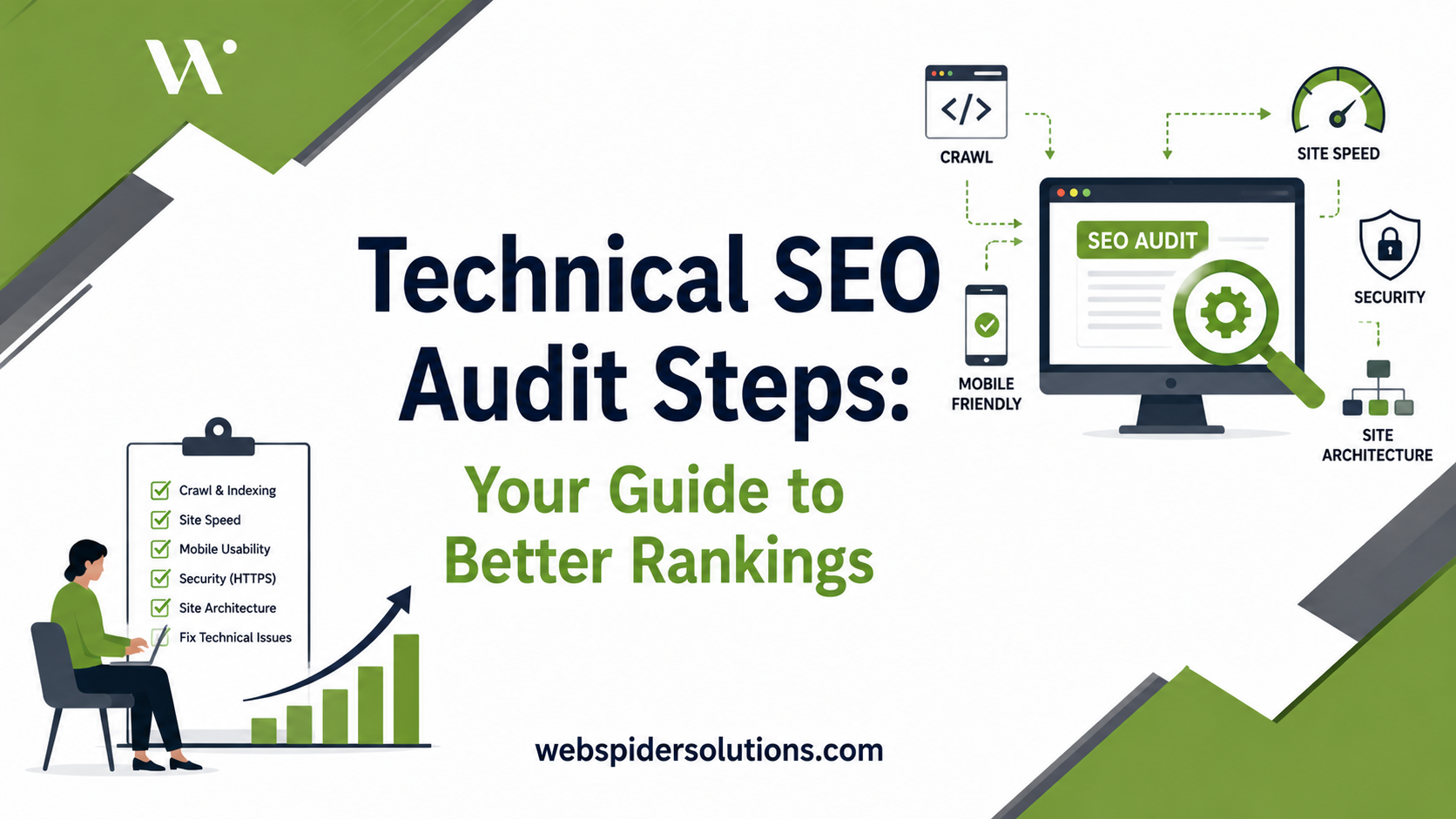
Your website could be publishing great content and still barely show up in Google search results, and the reason is often invisible to you. Hidden technical problems, like broken crawl paths, slow load times, and misconfigured redirects, quietly suppress your rankings every single day. Running through the right technical SEO audit steps gives you a clear picture of what Google actually sees when it visits your site, and more importantly, what it cannot access. This guide walks you through a practical, tool-backed process built specifically for small and medium-sized businesses and marketing managers who need real results, not theory.
Table of Contents
- Preparing for your technical SEO audit steps
- Step 1: crawlability and indexability checks
- Step 2: audit site architecture and internal linking
- Step 3: evaluate Core Web Vitals and site performance
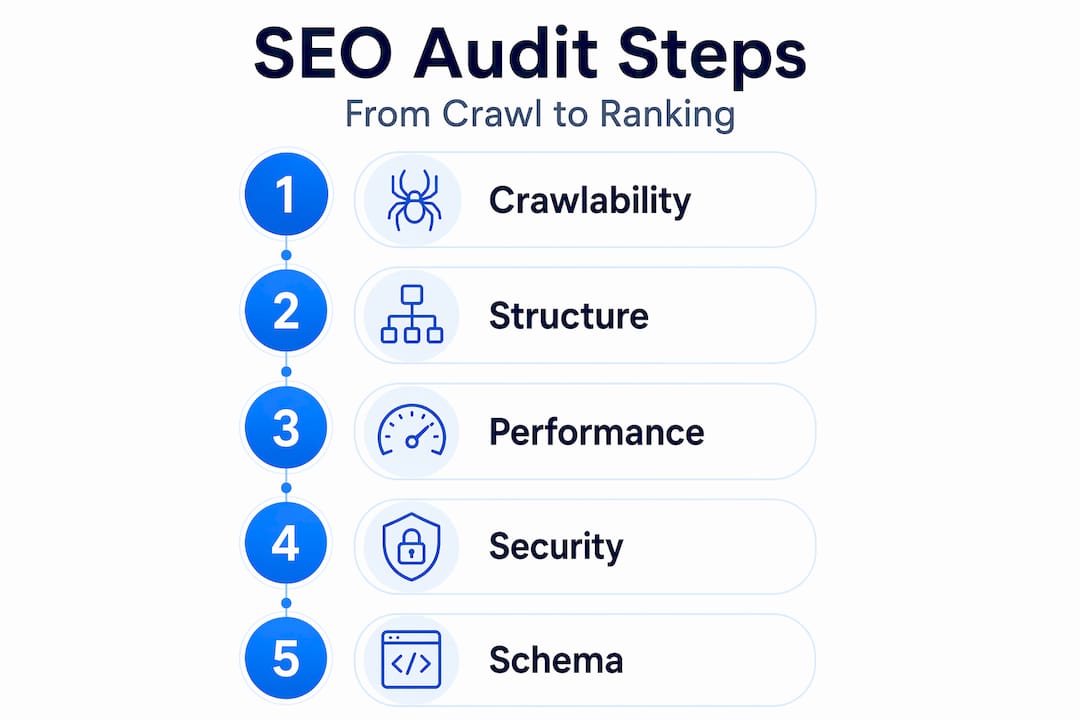
- Step 4: check HTTPS security and structured data implementation
- Common technical SEO audit mistakes and how to avoid them
- Why most SMBs struggle with technical SEO audits and how to overcome it
- Get expert help with your technical SEO audit and strategy
- Frequently asked questions
Key Takeaways
| Point | Details |
|---|---|
| Audit foundational elements | Start your technical SEO audit by checking crawlability, indexability, and site structure to unlock downstream SEO benefits. |
| Prioritize Core Web Vitals | Focus on improving LCP, INP, and CLS metrics for better user experience and Google ranking signals. |
| Fix security and markup | Ensure HTTPS is properly implemented and validate structured data to boost search visibility. |
| Avoid common audit pitfalls | Sequence fixes correctly, avoid blocking important pages accidentally, and monitor regularly to maintain SEO health. |
| Leverage expert support | Consider professional SEO services and detailed guides to accelerate and deepen audit effectiveness. |
Preparing for your technical SEO audit steps
Before you touch a single setting, gather the right tools and set clear benchmarks. Walking into an audit without the proper setup wastes time and often leads to missed issues that come back to bite you weeks later.
Tools you will need:
- Screaming Frog SEO Spider: The free tier crawls up to 500 URLs, which covers most small business sites. Paid version removes that cap.
- Google Search Console: Your direct line to how Google sees and indexes your pages. Non-negotiable.
- Google PageSpeed Insights: Free performance diagnostics on both mobile and desktop.
- A spreadsheet: To log issues by priority. Low-tech but essential.
Data inputs to prepare before crawling:
- Your XML sitemap URL (usually at yoursite.com/sitemap.xml)
- Your robots.txt file (yoursite.com/robots.txt)
- Search Console Coverage and Core Web Vitals reports
These website audit tools for marketers give you structured starting points rather than guessing where problems are hiding.
Core Web Vitals benchmarks to know:
| Metric | Good threshold | Needs improvement | Poor |
|---|---|---|---|
| LCP (Largest Contentful Paint) | Under 2.5s | 2.5s to 4.0s | Over 4.0s |
| INP (Interaction to Next Paint) | Under 200ms | 200ms to 500ms | Over 500ms |
| CLS (Cumulative Layout Shift) | Under 0.1 | 0.1 to 0.25 | Over 0.25 |
Core Web Vitals thresholds form the ranking signal baseline Google uses, and full site crawls typically take between 30 and 90 minutes depending on site size. Set aside a dedicated block of time so you are not rushing through findings.
With the right tools and data ready, you can now proceed to the core audit steps.
Step 1: crawlability and indexability checks
This is where most SMB audits reveal their biggest surprises. A page that cannot be crawled cannot be ranked, and the culprits are usually sitting right in your own configuration files.
- Open your robots.txt file and read every Disallow rule. A single misplaced line like “Disallow: /` blocks your entire site from Google. Look for rules blocking your product pages, blog posts, or category pages.
- Check your XML sitemap for URLs that carry noindex tags, are canonicalized to different pages, or return non-200 status codes. Your sitemap should only contain clean, canonical, indexable URLs.
- Open Search Console’s Coverage report and filter by each status. Pay particular attention to “Crawled, currently not indexed” pages, which Google visited but chose not to rank.
- Run a full crawl in Screaming Frog and export broken links (4xx errors), redirect chains longer than two hops, and pages with no inbound internal links (orphan pages).
- Review canonical tags on your top pages to confirm they point to the correct URL version and are not creating accidental self-referencing conflicts.
A technical SEO checklist for crawlability makes it easier to work through these checks systematically without missing edge cases.
“Up to 40% of typical site pages may face indexability issues requiring canonical tag and noindex tag reviews, based on a review of typical site Coverage reports.”
That number catches most business owners off guard. The pages you think are indexed often are not.
Pro Tip: If a page is blocked by robots.txt AND has a noindex tag, Google may never see the noindex instruction because the crawl is blocked first. Remove the robots.txt block so Google can read the noindex correctly, then decide whether you want the page indexed or not.
Fixing these common crawl and index issues before any other changes ensures your subsequent fixes actually take effect.
Step 2: audit site architecture and internal linking
Once your site is accessible and indexable, evaluate how its pages connect to each other. Google uses internal links to discover content and decide which pages matter most.
What to check in your site architecture:
- URL structure: Each URL should be short, readable, and descriptive.
/services/web-design/beats/services/cat=4&id=78every time. - Click depth: No important page should require more than three clicks from your homepage. Use Screaming Frog’s crawl depth report to find buried pages.
- Internal link count: Every key page (service pages, cornerstone blog posts, landing pages) should have at least five relevant internal links pointing to it from other pages.
- Orphan pages: Pages with zero inbound internal links get crawled infrequently and rarely rank. Find them in Screaming Frog by comparing crawled URLs to your XML sitemap.
- Breadcrumbs: Implement breadcrumb navigation with BreadcrumbList schema markup. It improves user orientation and earns sitelinks in search results.
| Architecture issue | Impact | Priority fix |
|---|---|---|
| Click depth over 3 | Fewer crawls, lower rankings | Add internal links from high-authority pages |
| Orphan pages | Near-zero crawl frequency | Link from relevant content or consolidate |
| Keyword-stuffed URLs | Trust and UX issues | Simplify slugs and 301 redirect old URLs |
| Missing breadcrumbs | Reduced UX and schema eligibility | Add nav breadcrumbs with BreadcrumbList schema |
Sites with crawl depth over 3 receive significantly less crawl attention on deep pages, and adding internal links to orphan pages directly improves crawl efficiency and ranking potential.

These site architecture and internal linking tips go deeper on structuring your site to pass authority to the pages that drive revenue.
Pro Tip: Use your highest-traffic blog posts as internal link hubs. These pages have existing authority. Pointing them at your service or product pages transfers that authority more effectively than adding links from low-traffic pages.
Reviewing technical SEO issues with architecture regularly helps you catch link rot and new orphan pages before they accumulate.
After fixing your site’s architecture, it is time to evaluate speed and user experience through Core Web Vitals.
Step 3: evaluate Core Web Vitals and site performance
Google’s mobile-first index means your site is judged primarily on its mobile performance. Speed is not a bonus anymore. It is a ranking factor.
- Open Search Console’s Core Web Vitals report and look at both mobile and desktop scores. Note which URL groups are labeled “Poor” and start there.
- Run PageSpeed Insights on your five highest-traffic pages. The diagnostics section shows you specific issues sorted by estimated savings.
- Address the most common performance killers:
- Uncompressed images: Convert JPEGs and PNGs to WebP format.
- Render-blocking JavaScript: Defer non-critical scripts.
- No lazy loading: Add
loading="lazy"to images below the fold. - Large server response times: Consider upgrading hosting or enabling caching.
- Check mobile usability specifically: No horizontal scroll, tap targets at least 48×48 pixels, font size minimum 16px for body text.
- Set up real user monitoring using Search Console’s field data or a lightweight tool to track performance trends over time, not just at audit time.
“According to research, 43% of SMB sites fail Core Web Vitals on mobile, making performance one of the most critical areas to address in any audit.”
Core Web Vitals guidelines spell out exactly what thresholds Google uses to classify performance as good, needing improvement, or poor.
Pro Tip: Do not try to fix every PageSpeed Insights warning at once. Sort issues by “Potential Savings” and fix the top three. A 30% improvement in LCP often comes from solving just one or two image or server issues.
For a focused breakdown of mobile Core Web Vitals optimization, especially for sites seeing traffic drop on mobile, that guide provides actionable steps you can implement without a developer in some cases.
With strong performance metrics established, turn your attention to security and structured data.
Step 4: check HTTPS security and structured data implementation
HTTPS is table stakes in 2026. Structured data is the mechanism that makes your listings stand out in search with star ratings, FAQs, and product details.
HTTPS security checklist:
- Confirm all pages serve HTTPS, including images, scripts, and stylesheets. Mixed content (HTTPS page loading HTTP resources) triggers browser warnings and signals a trust issue.
- Verify HTTP versions of all URLs return 301 permanent redirects to HTTPS. A 302 (temporary redirect) tells Google the move is not final.
- Check that your SSL certificate is valid and not expiring within 30 days. Expired certificates cause ranking drops and user bounces.
- Confirm your HSTS (HTTP Strict Transport Security) header is active, which forces browsers to always use HTTPS.
Structured data implementation steps:
- Identify which schema types apply to your pages: Article, Product, FAQPage, LocalBusiness, BreadcrumbList.
- Add schema markup using JSON-LD format (Google’s preferred method) in the
<head>section. - Test every implementation using Google’s Rich Results Test to verify it is valid and eligible for enhanced search features.
- Monitor the Search Console Enhancements report weekly after launch. Errors here directly affect your eligibility for rich results.
Every URL should serve HTTPS correctly with 301 redirects and no mixed content. Structured data validation helps unlock rich search features that improve click-through rates alongside rankings.
Your HTTPS and structured data checklist covers the exact validation steps for both security checks and schema types in one place.
Common technical SEO audit mistakes and how to avoid them
Understanding where audits go wrong saves you from spending weeks on the wrong things.
- Fixing content before crawl issues: If Google cannot reach your pages, no amount of content improvement will move the needle. Always fix crawlability first.
- Ignoring orphan pages: These pages do not get crawled or ranked. Either link to them from relevant content or consolidate them.
- Misusing noindex with robots.txt blocks: Blocking a page in robots.txt prevents Google from reading the noindex tag, creating unpredictable indexing behavior.
- Running audits once and forgetting them: Core Web Vitals scores drift as you add new scripts, images, or plugins. Monitoring needs to be ongoing, not a one-time event.
- Ignoring HTTPS mixed content: A single HTTP image on an HTTPS page triggers browser warnings and can affect your site’s credibility signal.
“Many sites waste months optimizing content while crawl errors quietly block pages from indexing,” which is why priority sequencing in your audit matters more than comprehensive coverage.
Pro Tip: Before every audit, export your Search Console Performance report filtered to the last 28 days. Pages that had impressions but zero clicks are often the ones with technical issues blocking their appearance, not content problems.
Reviewing typical SEO audit mistakes that businesses commonly make helps you build an audit process that avoids the traps others fall into.
Why most SMBs struggle with technical SEO audits and how to overcome it
Here is an uncomfortable truth most SEO content glosses over: the problem is not that SMBs lack information. There is plenty of it. The real problem is prioritization under resource constraints.
Most small business owners and marketing managers we work with have tried some version of an audit. They run a crawl, see 300 issues, feel overwhelmed, and then default back to writing more blog posts because content feels productive. Meanwhile, crawl errors sit unresolved for months and those blog posts get indexed sporadically or not at all.
The mindset shift that actually works: treat your technical foundation the way you treat a physical storefront. You would not run a promotion for a store with a broken front door and no signage. A site with crawl blocks and failing mobile Core Web Vitals is that broken storefront. The 43% of SMBs failing mobile Core Web Vitals are not failing because they do not know what LCP means. They are failing because they have never made performance a defined, recurring workflow item.
The fix is structural, not just technical. Build a quarterly audit into your marketing calendar. The first audit is the hardest. After that, each pass takes under two hours and focuses only on changes since the last check. Use the strategic technical SEO guidance framework to sequence fixes by impact, starting with crawl and index, then performance, then structured data.
One more thing: stop treating audits as a solo task if your site has more than 200 pages. The complexity of redirect chains, orphan pages, and schema conflicts compounds quickly. Knowing when to bring in outside expertise is itself a strategic decision, not a failure.
Get expert help with your technical SEO audit and strategy
Running through these technical SEO audit steps yourself gives you a strong foundation, but the most impactful fixes often require hands-on expertise. At Web Spider Solutions, we conduct full SEO campaigns for business growth that go beyond checklists, addressing the specific architecture, performance, and indexing issues holding your site back. Our team handles complex fixes like structured data implementation, HTTPS hardening, and mobile performance tuning so you can focus on running your business. Start with our SEO strategy guide to understand the full scope of what a winning strategy looks like, or download the essential technical SEO checklist to benchmark where your site stands today.
Frequently asked questions
What are the essential tools for a technical SEO audit?
Key tools include a website crawler like Screaming Frog, Google Search Console, and PageSpeed Insights to analyze site crawlability, indexing, and performance. Full site crawls using these tools typically take between 30 and 90 minutes depending on your site size.
How often should a technical SEO audit be performed?
Perform a technical SEO audit at least quarterly or after any major site update to keep crawlability, performance, and indexing in good shape. Regular audits are the only reliable way to keep pace with both site growth and changes in search behavior.
What is the difference between robots.txt Disallow and noindex meta tag?
Robots.txt Disallow blocks Google from crawling a page entirely, but the URL may still appear in search results as an uncrawled listing. A noindex meta tag allows crawling but tells Google to remove the page from its index, which requires the page to actually be crawled first. Disallow blocks crawling but Google may still index the URL without content, while noindex requires crawling to complete the removal.
Why is Core Web Vitals important in SEO audits?
Core Web Vitals measure real loading speed, interactivity, and visual stability, all of which Google uses as direct ranking signals under mobile-first indexing. With 43% of SMB sites failing mobile Core Web Vitals, performance is one of the highest-impact areas any audit can address.