






TL;DR:
- Maintaining accurate and consistent business listings is crucial to improving local search rankings and customer trust. Regular audits, centralized management tools, and ongoing optimization prevent errors, duplicates, and outdated information that can harm your visibility and reputation. Building a disciplined process and leveraging expert help ensures your listings support your growth and competitive advantage.
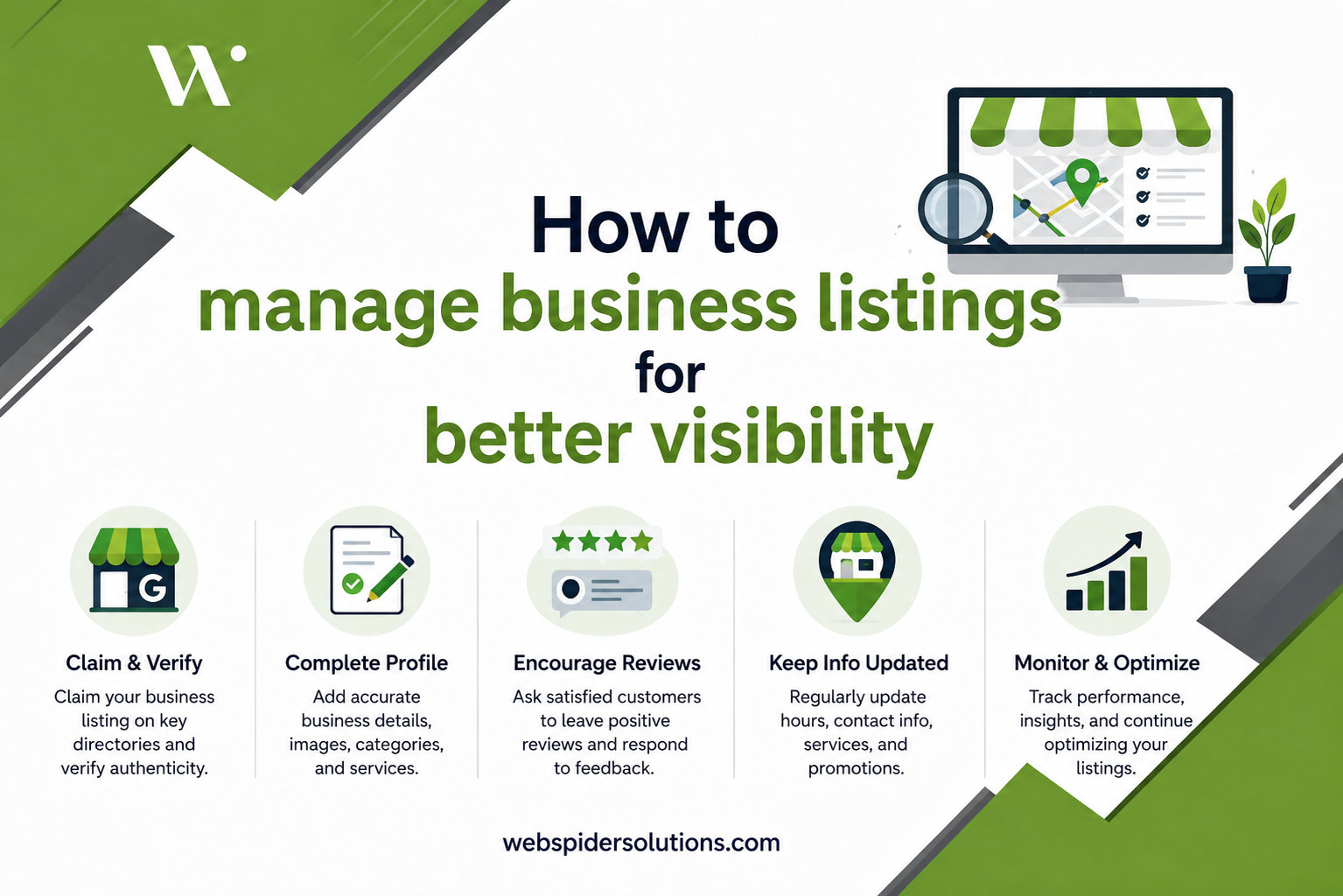
Imagine a potential customer searching for your business on their phone, only to find an old address, a disconnected phone number, or worse, a competitor’s listing showing up instead of yours. That single moment of confusion costs you a sale, and it happens more than most business owners realize. Inconsistent or outdated business listings quietly drain leads, damage credibility, and suppress your rankings every single day. This guide walks you through a clear, actionable process for preparing, executing, and verifying a listings management strategy that keeps your business visible, accurate, and competitive.
Table of Contents
- What is listings management and why does it matter?
- Get your foundation right: Inventory and standardize your listings
- Centralize, update, and monitor: Achieving ongoing accuracy
- Eliminate common pitfalls: Duplicates, overwrites, and inconsistent data
- Review and optimize for results: Monitoring, measuring, and improving listings impact
- Why perfect listings don’t guarantee success (and what really moves the needle)
- Manage your listings for growth with expert help
- Frequently asked questions
Key Takeaways
| Point | Details |
|---|---|
| Consistent NAP is essential | Accurate, consistent name, address, and phone details drive visibility and trust. |
| Audit and update regularly | Set quarterly reviews and promptly update all business details to avoid errors and loss of leads. |
| Eliminate duplicates fast | Detect and suppress duplicate listings to protect rankings and customer reviews. |
| Centralize management for growth | Use tools or a single source of truth for easy, scalable updates and monitoring. |
| Track performance for improvement | Monitor engagement metrics and reviews to guide ongoing listing optimization. |
What is listings management and why does it matter?
Before diving into tactics, you need a solid grasp of what listings management actually involves. Many business owners think it means filling out a Google Business Profile once and calling it done. That’s a costly misunderstanding.
Listings management is the ongoing process of creating, updating, optimizing, monitoring, and responding across many platforms while keeping Name-Address-Phone (NAP) consistent and accurate. NAP consistency means your business name, address, and phone number appear in exactly the same format across every platform where your business is listed.
Why does this matter so much? Search engines use NAP data as a trust signal. When they find conflicting information across different directories, they become less confident about showing your business in local search results. That means fewer impressions, fewer clicks, and fewer customers walking through your door.
Here’s what’s actually at stake when listings are mismanaged:
- Lost local search rankings because inconsistent data weakens your authority
- Missed calls and visits when customers find wrong hours or an old address
- Damaged trust from negative first impressions before anyone even visits your site
- Fragmented reviews spread across duplicate listings instead of building on one strong profile
Strong business listing services shape more than just your Google ranking. They influence how customers perceive your brand the moment they discover you. And for businesses operating in competitive markets, that first impression often determines whether someone calls you or your competitor. If you’re still learning the foundations, a solid grounding in local SEO basics will show you exactly how listings feed into broader local search strategy.
“Your business listing is often the first touchpoint a customer has with your brand. If it’s wrong, you’ve already lost the conversation.”
Get your foundation right: Inventory and standardize your listings
Understanding the importance leads us to the essential first step: establishing control and consistency across your business listings.
You can’t manage what you haven’t measured. Start by auditing every platform where your business currently appears, whether you created those listings or not. Publishers like Google, Facebook, Yelp, Bing, Apple Maps, and industry-specific directories often auto-generate listings from public data. Many of those auto-generated profiles contain errors from day one.
A practical operating method is to set a “single source of truth” approach for business data, then audit and sync across major publishers. This means creating one internal document (a spreadsheet works fine) that holds your definitive business name, address, phone number, website URL, hours, and category. Every listing you claim or update should mirror that master document exactly.
Here’s a quick reference for the platforms that matter most and the details you should prioritize on each:
| Platform | Key fields to optimize | Verification method |
|---|---|---|
| Google Business Profile | Name, address, phone, hours, categories, photos | Postcard, phone, or video |
| Facebook Business Page | Name, address, phone, about section, hours | Admin email confirmation |
| Yelp | Name, address, phone, categories, hours, photos | Phone or email |
| Bing Places | Name, address, phone, hours, website | Email or phone |
| Apple Maps | Name, address, phone, hours, website | Apple ID login |
| Niche directories | Name, phone, website, specialty services | Varies by platform |
Once you’ve completed your audit, claim every unclaimed listing and verify ownership. Platforms require verification to give you editing rights. Without it, you’re locked out when something needs correcting.
Pro Tip: Schedule a listings audit on the first Monday of every quarter. Put it in your calendar now. Businesses that audit regularly catch errors before customers do, which means you protect your reputation before it ever gets dinged.
Exploring hyperlocal marketing strategies alongside this step can help you identify which niche or neighborhood-specific directories are worth adding to your outreach list, especially if you serve defined geographic areas.
Centralize, update, and monitor: Achieving ongoing accuracy
Once your foundational data is verified, you need an efficient, scalable way to keep your listings accurate and up-to-date.
Managing listings manually across a dozen or more platforms is time-consuming and error-prone. Miss one update after moving offices, and you’ve got customers showing up at the wrong address for months. Tools can centralize data and automate updates rather than relying on manual changes per directory, saving significant time and reducing human error.

Here’s a clear comparison of what manual management looks like versus using a centralized tool:
| Factor | Manual management | Centralized tool |
|---|---|---|
| Time per update | 30 to 90 minutes per platform | Minutes for all platforms |
| Error risk | High (copy/paste mistakes) | Low (single data source) |
| Monitoring frequency | As you remember | Automated alerts |
| Scalability | Breaks down at 3+ locations | Handles 100+ locations |
| Cost | Free but costly in time | Monthly subscription |
For businesses managing multiple locations, Google Account setup using business groups becomes critical. As one source notes, for Google Business Profiles at scale, you should use a consistent access and governance model, such as a domain email owner setup plus business groups, to maintain control without handing full admin rights to every team member.
Follow these steps to build a sustainable ongoing maintenance process:
- Assign a listings owner. One person or team owns the master data document and is responsible for all updates. Shared responsibility usually means no responsibility.
- Schedule monthly check-ins. Review all major platforms for suggested edits or unauthorized changes that platforms or users may have submitted.
- Update time-sensitive information immediately. Holiday hours, temporary closures, and new service offerings should never wait until the next scheduled audit.
- Document every change. Log what was changed, where, and when. This creates a trail if something goes wrong and helps you spot patterns over time.
- Use structured data consistently. Abbreviations like “St.” versus “Street” in your address may seem minor, but inconsistency confuses both search engines and aggregators that pull your data.
Pro Tip: Assign a team member specifically to listings management and set up automatic calendar reminders for monthly reviews. Pair this with Google Maps Ads campaigns, and you’ve created a powerful combination of organic visibility and paid reach that compounds over time.
Eliminate common pitfalls: Duplicates, overwrites, and inconsistent data
Having a regular update process is crucial, but not the end. There are still pitfalls that can undermine your efforts if left unchecked.
Duplicate listings are one of the most common and most damaging problems in local search. A duplicate is simply two or more listings for the same business on the same platform. They can be created when a business moves and the old listing isn’t deleted, when a staff member creates a second profile without knowing one already exists, or when a platform auto-generates a listing from a data aggregator.
Duplicate listings are a core edge case. They must be detected and fixed or suppressed because they dilute trust, reviews and Q&A coverage, and can fragment ranking-relevant content. That means your reviews get split between two profiles instead of building strength in one place, and your search rankings suffer as a result.
Here’s how to systematically find and fix duplicates:
- Search your business name on Google, Yelp, Facebook, and Bing using variations (with and without abbreviations, with and without “Inc.” or “LLC”).
- Check your address variations to find listings tied to old locations.
- Use a listings audit tool to scan directories automatically and flag duplicates.
- Claim the duplicate listing if you don’t already own it, then request a merge or suppression through the platform’s support process.
- Monitor for re-creation. Some platforms re-pull data from aggregators periodically, which can revive deleted listings.
Edge cases like duplicates, publisher overwrites, and inconsistent field formatting are often more damaging than small optimization tweaks. Spending an hour fixing a persistent duplicate will do more for your local rankings than adding five more photos to a profile that already has plenty.
The most common mistakes businesses make with their listings include:
- Letting old addresses persist after a move or rebrand
- Ignoring platform-suggested edits that silently overwrite your verified data
- Using different phone numbers for tracking without updating the master data
- Skipping niche directories that drive highly targeted traffic
- Not suppressing duplicates because the process feels tedious
Duplicate listings don’t just confuse customers. They split your reviews, fragment your search signals, and hand a quiet advantage to competitors who’ve already cleaned up their data.
Keeping a close eye on your online reputation management alongside listings hygiene gives you full control over how your business appears and how it’s perceived, before a bad listing does the damage for you.
Review and optimize for results: Monitoring, measuring, and improving listings impact
Now that you’ve tamed data pitfalls, let’s cover how routine review and a data-driven approach ensure your listings keep driving results.
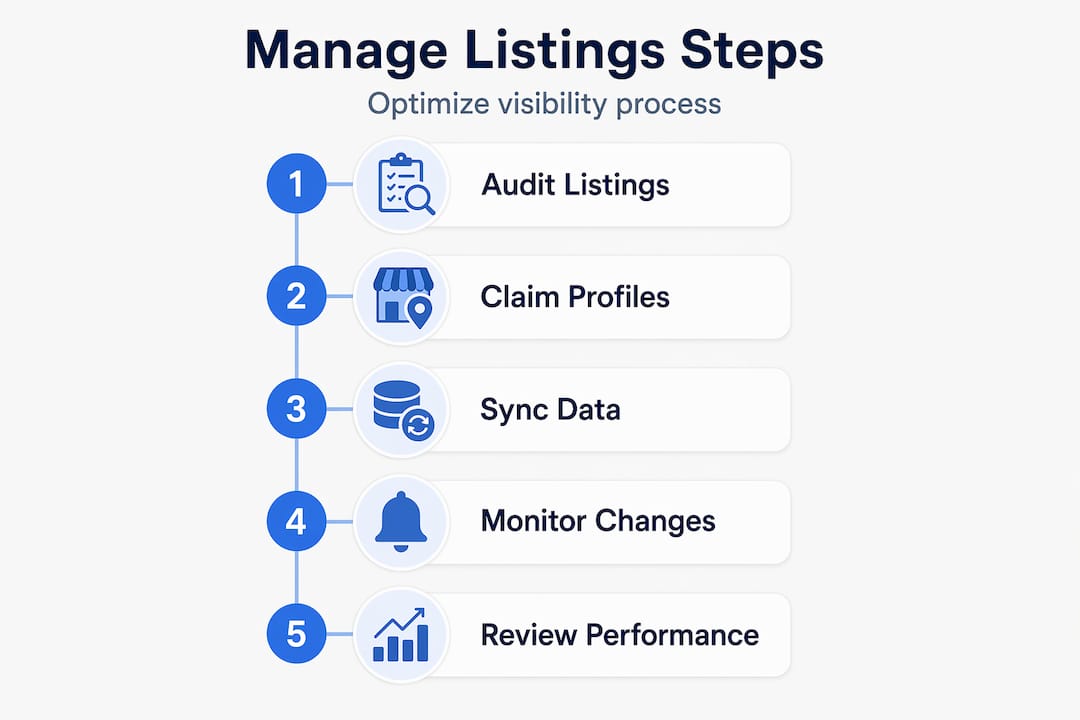
Listings management without measurement is just maintenance. The goal isn’t just accurate data. It’s more customers, more calls, more revenue. To know whether your efforts are working, you need to track the right signals.
Key performance indicators (KPIs) to monitor for listings performance include:
- Calls from listing: How many people called directly from your Google or Yelp profile
- Direction requests: How often users ask for directions to your location
- Website clicks: Traffic driven directly from listing pages
- Review velocity: How frequently new reviews are coming in
- Average star rating: Trends over time, not just the current score
- Q&A engagement: Whether customer questions are being answered promptly
Measuring engagement outcomes such as calls, directions, and website clicks alongside review and Q&A activity gives you a complete picture of how well your listings convert searchers into real interactions.
Follow this ongoing improvement cycle to keep performance trending upward:
- Review your KPIs monthly and compare against the previous period to spot drops or gains.
- Respond to every review, positive or negative, within 48 hours. Responses show both customers and search engines that you’re active and engaged.
- Update seasonal and holiday hours at least two weeks in advance. Missing a holiday update is one of the fastest ways to earn a one-star review from a customer who drove to a closed location.
- Add fresh photos quarterly. Listings with recent photos consistently outperform those with stale visual content.
- Answer all Q&A submissions within a week to prevent incorrect crowdsourced answers from taking root.
To optimize local listings for AI and knowledge-panel use cases, prioritize structured accuracy with complete NAP and verified hours and services, and keep freshness by updating time-sensitive fields like seasonal or holiday hours promptly. AI-powered search tools and voice assistants pull from structured listing data, so accuracy directly affects whether your business gets recommended in those new search formats.
Pairing this performance review process with a broader local SEO strategy ensures your listings work as part of a full visibility system rather than a standalone effort.
Why perfect listings don’t guarantee success (and what really moves the needle)
Here’s something most guides won’t tell you: perfectly formatted listings alone won’t win in competitive markets. We’ve seen businesses with flawless NAP consistency still lose to competitors in local search because they treated listings as a one-time project.
The real advantage goes to businesses that build a process, not a checklist. Competitors who win in local search aren’t necessarily doing more elaborate optimization. They’re simply checking their listings more consistently, catching platform overwrites faster, and responding to reviews more reliably than everyone else.
Most small and medium-sized businesses miss this because they optimize once, celebrate, and move on. Then a platform auto-corrects an address based on outdated aggregator data. A staff member adds a second Google profile during onboarding. A seasonal hours update gets missed. None of these are catastrophic individually, but they compound over six months into a messy, inconsistent presence that quietly costs you rankings.
The contrarian view here is that obsessing over adding more photos or tweaking your business description is low-leverage work compared to owning the governance of your listings. Who’s responsible? When do they check? What happens when something changes? Answering those three questions does more for your local visibility than any single optimization tactic.
Brands that win local search treat their listings as a living digital asset with a maintenance schedule, an assigned owner, and a documented change log. For the broader organic strategy backing this up, your SEO for small businesses approach should reflect the same principle: consistent, disciplined execution beats flashy one-off campaigns every time.
Manage your listings for growth with expert help
If this process feels like a lot to manage alongside running your actual business, you’re not alone. Most business owners we work with didn’t realize how many platforms their business appeared on, let alone how many had errors, until they ran their first audit.
At Web Spider Solutions, we specialize in helping businesses in competitive industries build and maintain the kind of local presence that drives real leads. From full listings audits to ongoing optimization and monitoring, our team handles the details so you don’t have to. Whether you’re starting fresh or cleaning up years of inconsistent data, our SEO campaigns are built around the exact strategies covered in this guide. To get a wider view of what a strong digital foundation looks like, our SEO strategy guide is a great next step.
Frequently asked questions
What’s the fastest way to find duplicate business listings?
Use a listings management tool or search major platforms manually for variations of your business name, then suppress or merge duplicate listings promptly before they split your reviews or dilute your ranking signals.
How often should I audit my business listings for accuracy?
Audit your business listings at least quarterly, or anytime you make changes to addresses, hours, or services. Setting quarterly audit reminders with a dedicated team owner is the most reliable way to catch errors before customers do.
Can I manage multiple business locations efficiently?
Yes, by using centralized tools and Google Business Groups, you can grant scalable access and monitor all locations without losing governance. A consistent access model using domain email and business groups keeps things organized at any scale.
What if a platform overwrites my business info?
Regularly monitor your listings and maintain a single source of truth so you can quickly correct any unintended changes. Setting up data governance with ongoing audit reminders means you’ll catch publisher overwrites before they affect customer experience.
How do reviews and Q&A activity affect my search rankings?
Active reviews and Q&A engagement contribute to trust signals and can positively impact visibility in local search results. Measuring calls, directions, and website clicks alongside review activity gives you the clearest picture of your listings’ real-world impact.