






Website accessibility is no longer optional for B2B digital marketers. Over 96% of websites fail to meet the 2025 ADA accessibility standards, putting businesses at significant legal and market risk. This guide walks you through the latest standards, legal requirements, testing methods, and strategic benefits that transform accessibility from a compliance checkbox into a competitive advantage for your website.
Table of Contents
- Introduction To Website Accessibility And Why It Matters
- Understanding WCAG 2.2 And Global Accessibility Standards
- Legal Considerations And Risks Of Non-Compliance
- Common Misconceptions About Website Accessibility
- Conducting Audits And Testing For Accessibility
- Practical Benefits Of Website Accessibility For Digital Marketing
- International Accessibility Laws And Standards
- Building And Maintaining An Ongoing Accessibility Strategy
- Explore Tailored SEO And Accessibility Solutions
- Frequently Asked Questions
Key Takeaways
| Point | Details |
|---|---|
| Compliance Crisis | Most websites fail ADA and WCAG standards, creating substantial legal exposure. |
| Updated Standards | WCAG 2.2 and ISO/IEC 40500:2025 define current accessibility success criteria globally. |
| Testing Limitations | Automated testing identifies only 30% of issues; manual audits are essential. |
| Business Benefits | Accessibility drives SEO improvements, user satisfaction, and expanded market reach. |
| Global Requirements | Laws like EAA and AODA enforce compliance deadlines requiring immediate action. |
Introduction to Website Accessibility and Why It Matters
Website accessibility means designing and developing sites that people with disabilities can perceive, understand, navigate, and interact with effectively. This isn’t a niche concern. Disabilities span visual, auditory, cognitive, neurological, and motor impairments, affecting how millions of users experience your website daily.
For digital marketing managers in competitive B2B sectors, accessibility directly impacts user experience and legal compliance. When your site works for everyone, you reduce bounce rates, increase engagement, and build brand reputation. Conversely, inaccessible sites exclude potential customers and invite lawsuits.
Inclusive design aligns with global standards and customer expectations. As regulatory frameworks tighten worldwide, accessibility has shifted from a technical consideration to a strategic imperative. Understanding web accessibility standards and impact positions your organization to meet both legal obligations and user needs.
Key accessibility considerations include:
- Text alternatives for images and multimedia content
- Keyboard navigation for users unable to use a mouse
- Sufficient color contrast for visual clarity
- Clear heading structures for screen reader users
- Captions and transcripts for audio and video content
- Forms with properly labeled input fields
- Time limits that users can extend or disable
These elements create a foundation for websites that serve all users, regardless of ability. The business case extends beyond compliance. Accessible sites perform better in search rankings, convert more visitors, and demonstrate social responsibility that resonates with modern buyers.
Understanding WCAG 2.2 and Global Accessibility Standards
The Web Content Accessibility Guidelines (WCAG) 2.2 represent the current benchmark for digital accessibility worldwide. WCAG 2.2 adds 9 new success criteria targeting cognitive, learning, and neurological disabilities, expanding beyond earlier versions that focused primarily on visual and auditory impairments.
In 2025, WCAG 2.2 achieved formal recognition as ISO/IEC 40500:2025, cementing its status as the international standard for web accessibility. This adoption signals global consensus on accessibility requirements and simplifies compliance for organizations operating across borders.
The standard organizes success criteria into three conformance levels. Level A addresses basic accessibility. Level AA, the typical legal requirement, ensures broader usability. Level AAA provides enhanced accessibility but isn’t mandated for entire sites. Most organizations target Level AA compliance as the practical balance between accessibility and implementation.
WCAG 2.2 Success Criteria by Level
| Level | Criteria Count | Focus Areas | Typical Use |
|---|---|---|---|
| A | 30 | Basic access | Minimum legal baseline |
| AA | 20 additional | Usable access | Standard compliance target |
| AAA | 28 additional | Enhanced access | Specialized applications |
Pro Tip: Focus your initial accessibility efforts on Level AA conformance. This threshold satisfies most legal requirements and delivers meaningful improvements for users with disabilities without requiring the extensive resources needed for AAA compliance.
The 9 new WCAG 2.2 success criteria address real barriers users face. Focus Visible (Enhanced) improves keyboard navigation visibility. Dragging Movements provides alternatives to drag and drop interactions. Target Size ensures touch targets are large enough for motor impaired users. These updates reflect evolving understanding of cognitive and motor disabilities.
Implementing WCAG 2.2 standards requires both technical changes and content strategy adjustments. Review the WCAG 2.2 official standards to understand specific success criteria applicable to your website.
Legal Considerations and Risks of Non-Compliance
Only 4% of websites in 2025 are truly compliant with ADA and WCAG standards, exposing the vast majority of businesses to legal risks. The Americans with Disabilities Act (ADA) requires equal access to goods and services, increasingly interpreted to include websites and digital properties.
Legal action for accessibility violations continues accelerating. Plaintiffs’ attorneys actively scan websites for violations, sending demand letters and filing lawsuits. Settlements typically range from $10,000 to $100,000, not counting legal fees and remediation costs. These financial impacts hit small and medium businesses particularly hard.
The proposed Websites and Software Applications Accessibility Act of 2025 aims to create federal uniform accessibility standards in the U.S., potentially streamlining compliance requirements but also establishing clear enforcement mechanisms. This legislation would remove ambiguity around website accessibility obligations under federal law.
Internationally, regulations are already in force. The European Accessibility Act (EAA) requires accessible digital services by June 28, 2025, affecting any B2B company serving European customers. Canada’s Accessibility for Ontarians with Disabilities Act (AODA) imposes similar requirements for organizations operating in Ontario.
Major Accessibility Laws Comparison
| Law | Jurisdiction | Deadline | Standard | Penalties |
|---|---|---|---|---|
| ADA | United States | Ongoing | WCAG 2.1/2.2 AA | Lawsuits, settlements |
| EAA | European Union | June 28, 2025 | EN 301 549 (based on WCAG) | Fines up to 4% revenue |
| AODA | Ontario, Canada | Ongoing | WCAG 2.0 AA | Fines up to $100,000 CAD |
| Proposed Federal Act | United States | TBD | WCAG 2.2 AA | Civil penalties |
Pro Tip: Don’t wait for perfect compliance before making improvements. Courts favor organizations demonstrating good faith accessibility efforts over those ignoring the issue entirely. Start with high impact fixes and document your remediation roadmap.
Conducting a thorough website accessibility audit identifies your current compliance gaps and prioritizes fixes. Understanding ADA compliance risks, the Websites and Software Applications Accessibility Act, and EAA compliance deadline helps you build a timeline that addresses legal exposure systematically.
Common Misconceptions About Website Accessibility
Many digital marketing managers operate under false assumptions about accessibility that delay or derail improvement efforts. Clearing up these misconceptions creates space for effective accessibility strategies.
Accessibility extends far beyond visual impairments. Cognitive disabilities, hearing loss, motor impairments, and neurological conditions all affect how users interact with websites. Designing only for screen reader users misses the majority of accessibility needs. Your site must accommodate diverse abilities and interaction methods.
Automated tools cover only about 30% of accessibility issues; manual testing is essential. Plugins that promise instant compliance cannot evaluate context, user flow, or complex interactions. They catch technical violations like missing alt text but miss whether that alt text is actually useful.
Retrofitting accessibility after development costs exponentially more than building it in from the start. Redesigning navigation structures, rewriting content, and refactoring code consume resources better spent on new features. Integrate accessibility requirements into initial project specs and design mockups.
“Accessible design is good design. It benefits people with and without disabilities, improves overall usability, and future proofs your website against evolving standards.”
Common myths that hinder accessibility progress:
- Accessibility is expensive and complicated (reality: basic improvements are straightforward)
- Only certain industries need accessible websites (reality: all public facing sites have obligations)
- Automated scanning tools provide sufficient compliance (reality: manual testing is essential)
- Accessibility sacrifices aesthetics (reality: accessible sites can be visually stunning)
- Disabled users represent a tiny market segment (reality: 16% of the global population has disabilities)
Understanding website accessibility myths and the limitations of automated accessibility testing prevents wasted effort on superficial fixes while missing critical barriers.
Conducting Audits and Testing for Accessibility
Effective accessibility audits combine automated scanning with detailed manual testing to uncover the full range of compliance issues. Manual audits detect up to 60% more accessibility issues missed by automated tools, making human evaluation irreplaceable for thorough assessment.

Start with automated tools to quickly identify technical violations. Popular options include axe DevTools, WAVE, and Lighthouse. These tools flag missing alt text, color contrast failures, and structural problems. Run scans on key page templates: homepage, product pages, forms, and checkout flows.
Follow automated testing with manual evaluation:
- Test keyboard navigation by unplugging your mouse and navigating your entire site using only Tab, Enter, and arrow keys
- Evaluate screen reader compatibility using NVDA (Windows) or VoiceOver (Mac) to experience your site as blind users do
- Review content readability and language clarity, ensuring complex terms are defined
- Verify form labels, error messages, and validation provide clear guidance
- Check video captions and audio transcripts for accuracy and completeness
- Test interactive elements like modals, dropdowns, and sliders for keyboard and screen reader access
Schedule audits quarterly or after major content updates and site redesigns. Accessibility degrades over time as content changes and new features launch. Regular testing catches issues before they accumulate into major compliance gaps.
Pro Tip: Recruit users with disabilities to test your website. Their lived experience reveals barriers automated tools and able bodied testers miss. Compensate these testers fairly for their expertise and insights.
Documentation is critical. Record all identified issues with severity ratings, affected pages, and remediation recommendations. Track fixes over time to demonstrate progress to stakeholders and legal counsel.
Learn to conduct accessibility audits systematically and understand manual and automated accessibility testing methods that work together for thorough coverage.
Practical Benefits of Website Accessibility for Digital Marketing
Accessibility delivers measurable marketing advantages beyond legal compliance. Accessible websites can see 20-30% higher organic traffic and 25% increased customer satisfaction, making accessibility a performance driver rather than just a cost center.
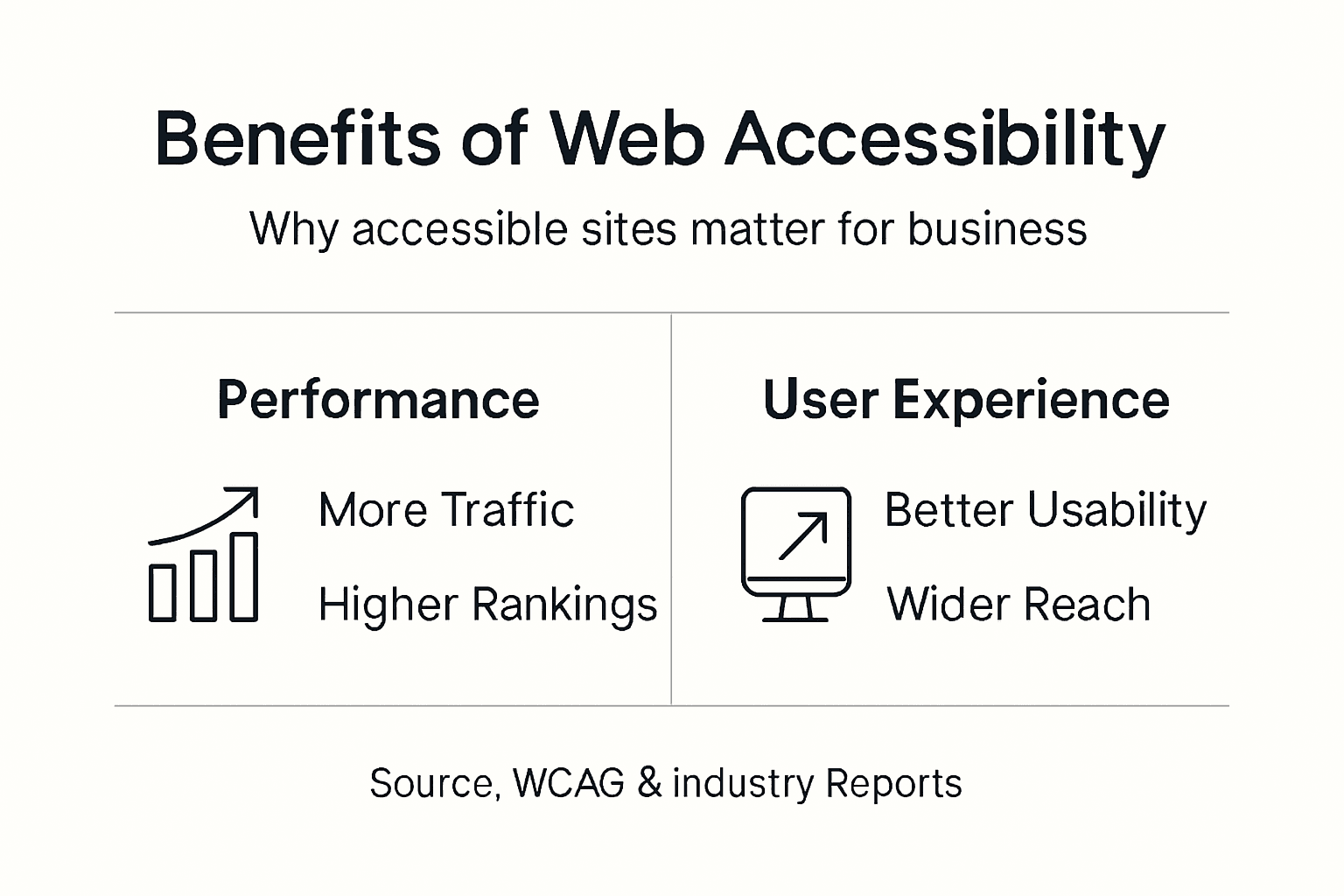
Search engines reward accessible websites. Semantic HTML, descriptive headings, and alt text help crawlers understand content context. Sites that work well for screen readers typically rank better because they provide clear information architecture search algorithms prefer. Accessibility improvements directly boost SEO performance.
User experience improves for everyone when sites follow accessibility principles. Clear navigation helps all users find information faster. Readable typography reduces eye strain. Keyboard shortcuts speed up workflows for power users. Captions benefit people watching videos in sound sensitive environments.
Market reach expands dramatically when sites work for people with disabilities. Globally, over one billion people have disabilities, representing significant purchasing power. Older adults, a growing demographic with increasing digital engagement, experience age related impairments that accessible design accommodates.
Key business benefits of accessibility:
- Improved search rankings through better semantic markup and content structure
- Higher conversion rates from streamlined, usable forms and checkout processes
- Reduced bounce rates as more users can access and navigate content
- Enhanced brand reputation and social responsibility positioning
- Lower legal risk and associated costs from non compliance
- Competitive advantage in markets where accessibility is rare
Explore benefits of web accessibility, website accessibility and UX benefits, and the business impact of accessibility. Understanding accessible websites SEO and satisfaction gains builds the business case for investment.
International Accessibility Laws and Standards
B2B companies operating internationally face multiple overlapping accessibility regulations. The European Accessibility Act requires compliance by June 28, 2025; AODA applies in Canada; ADA updates and federal legislation affect U.S. business obligations. Understanding these frameworks prevents compliance gaps.
The European Accessibility Act (EAA) mandates that businesses selling digital products or services in the EU ensure accessibility by mid 2025. Unlike voluntary guidelines, the EAA carries enforcement mechanisms including substantial fines for non compliance. The standard references EN 301 549, which incorporates WCAG 2.1 Level AA requirements.
Canada’s AODA requires Ontario organizations to make websites and content accessible according to WCAG 2.0 Level AA. Other provinces are adopting similar legislation. Companies serving Canadian markets must verify provincial requirements.
In the United States, the ADA provides the legal foundation for accessibility requirements, though specific technical standards remain subject to court interpretation. The proposed federal legislation seeks to clarify obligations and establish WCAG 2.2 Level AA as the baseline.
Global Accessibility Law Comparison
| Regulation | Geographic Scope | Technical Standard | Enforcement | Key Deadlines |
|---|---|---|---|---|
| EAA | European Union | EN 301 549 (WCAG 2.1 AA) | Fines, market restrictions | June 28, 2025 |
| AODA | Ontario, Canada | WCAG 2.0 AA | Fines up to $100,000 CAD | Ongoing compliance |
| ADA | United States | WCAG 2.1/2.2 AA (judicial) | Lawsuits, settlements | Immediate |
| Proposed Federal Act | United States | WCAG 2.2 AA | Civil penalties (pending) | TBD |
Differences in standards create complexity. The EAA references WCAG 2.1, while U.S. courts increasingly expect WCAG 2.2 conformance. Organizations should target the highest applicable standard to simplify compliance across jurisdictions.
Review the global accessibility legal comparison and international accessibility laws to understand requirements for your markets.
Building and Maintaining an Ongoing Accessibility Strategy
Sustained accessibility requires integration into standard workflows rather than one time remediation projects. Digital marketing managers must establish processes that maintain compliance as websites evolve.
Develop an accessibility policy documenting your organization’s commitment, standards, and governance structure. Assign clear ownership for accessibility across teams. Designate an accessibility coordinator who tracks compliance, manages audits, and coordinates remediation efforts.
Implement continuous improvement cycles:
- Schedule quarterly accessibility audits on representative page samples
- Integrate accessibility checks into content publication workflows
- Require accessibility reviews before launching new features or campaigns
- Track accessibility metrics alongside other website KPIs
- Budget for ongoing accessibility maintenance and training
Training is essential. Marketers, designers, developers, and content creators all impact accessibility. Provide role specific training that covers relevant WCAG success criteria and teaches practical implementation. Regular refreshers keep accessibility top of mind as team members change.
Content updates frequently introduce accessibility issues. Alt text gets forgotten. Color contrasts slip. Heading hierarchies break. Build accessibility checks into your content management system workflows with reminders and validation.
Pro Tip: Create accessibility design patterns and component libraries. When your team reuses tested, accessible components rather than building from scratch each time, you reduce errors and maintain consistency across your website.
Monitor accessibility as part of your analytics strategy. Track metrics like keyboard navigation paths, screen reader user sessions, and accessibility widget usage. These insights reveal how users with disabilities interact with your site and where barriers persist.
Learn strategies for sustaining accessibility in marketing workflows that embed compliance into daily operations.
Explore Tailored SEO and Accessibility Solutions
Transforming your website into an accessible, high performing marketing asset requires expertise and strategic execution. Partnering with specialists who understand both accessibility compliance and digital marketing effectiveness accelerates results while reducing risk.
Implement proven SEO strategy guide for 2026 techniques that align with accessibility best practices. Combine technical optimization with inclusive design through content marketing strategies for accessibility that reach broader audiences. Apply web design best practices that balance aesthetics with usability for all users. Professional guidance ensures your B2B website meets 2025 accessibility requirements while driving measurable business growth.
Frequently Asked Questions
What are the first steps to improve website accessibility in a B2B company?
Start with an accessibility audit combining automated tools and manual testing to identify current gaps. Focus initial fixes on high impact issues like missing alt text, keyboard navigation barriers, and color contrast failures that affect the most users.
How often should digital marketing teams conduct accessibility audits?
Conduct comprehensive audits quarterly and after major site updates, new feature launches, or content migrations. Integrate basic accessibility checks into weekly content publication workflows to catch issues before they go live.
Can accessibility improvements boost SEO performance?
Yes, accessible websites typically rank better because semantic HTML, clear headings, and descriptive text help search engines understand content. Many accessibility fixes like improved site structure and readable content directly benefit SEO.
What tools complement manual accessibility testing effectively?
Combine automated scanners like axe DevTools and WAVE with screen readers such as NVDA or JAWS. Add browser based tools like Lighthouse and manual keyboard navigation testing for comprehensive coverage.
How do international accessibility laws affect my U.S. based website?
If you serve customers in the EU, Canada, or other jurisdictions with accessibility laws, you must comply with their requirements regardless of where your business is located. The safest approach is meeting WCAG 2.2 Level AA globally.
Recommended