






Over 3.73% of tested web applications suffer from broken access control, the single most critical security risk facing small and medium businesses today. For SaaS and healthcare companies managing sensitive customer data, a single breach can trigger compliance penalties, destroy hard-earned trust, and tank search rankings overnight. Website security isn’t just about installing an SSL certificate. It demands a layered defense combining encryption, access controls, continuous monitoring, and incident readiness to protect your digital assets and reputation.
Table of Contents
- Introduction To Website Security For SMBs
- Common Website Vulnerabilities And Their Impact
- Technical Measures To Secure A Website
- Access Control And Authentication Strategies
- Common Misconceptions About Website Security
- Ongoing Monitoring And Incident Response
- Compliance And SEO Benefits Of Website Security
- Conclusion And Practical Steps For SMB Owners
- Secure Your Website With Expert SEO And Security Solutions
Key takeaways
| Point | Details |
|---|---|
| Layered security reduces vulnerabilities significantly | Combining HTTPS, firewalls, 2FA, and monitoring creates defense in depth that stops most attacks |
| Technical measures form the foundation | HTTPS encryption, Web Application Firewalls, and regular software updates prevent the majority of exploits |
| Access control with 2FA stops 80% of breaches | Multi-factor authentication blocks unauthorized access even when passwords are compromised |
| Continuous monitoring shortens response times | Daily scanning detects threats in hours instead of weeks, minimizing damage and downtime |
| Security compliance boosts SEO and trust | HTTPS and strong security improve Google rankings while meeting HIPAA and GDPR requirements |
Introduction to website security for SMBs
Website security means protecting your site, server, and data through multiple overlapping safeguards that work together to stop unauthorized access, data theft, and malicious attacks. For SMBs in SaaS and healthcare, security becomes mission critical because you handle sensitive customer information, payment data, and health records that regulations like HIPAA and GDPR mandate you protect rigorously.
Your competitive sectors face unique risks. Healthcare sites store protected health information that attackers sell on dark web markets. SaaS platforms manage authentication credentials and business data for hundreds or thousands of users. A single vulnerability can expose everything.
The top threats targeting SMB websites include:
- Broken access control allowing unauthorized users to view or modify data
- Malware infections that hijack site functionality and steal visitor information
- Injection attacks inserting malicious code through forms and input fields
- Outdated software with known exploits attackers scan for automatically
Consequences extend beyond immediate data loss. Broken Access Control affects 3.73% of applications tested and leads to unauthorized data access that triggers regulatory fines, customer churn, and SEO penalties when Google flags your site as unsafe. Recovery costs average tens of thousands of dollars for SMBs, not counting lost revenue during downtime.
Understanding SaaS website security basics and implementing website security and breach prevention strategies helps you avoid becoming another statistic. Security investments protect your business foundation and enable sustainable growth in competitive markets where trust determines success.
Common website vulnerabilities and their impact
Broken access control remains the most critical web application security risk, affecting 3.73% of tested applications by allowing users to act outside their intended permissions. This vulnerability lets attackers view other users’ accounts, modify data they shouldn’t access, or elevate their privileges to admin level. For healthcare portals, this means patient records get exposed. For SaaS dashboards, it means competitors can access your customers’ business data.
Malware infections deliver particularly devastating blows to SMB operations and visibility. Infected sites experience visitor bounce rates up to 95% as browsers display scary warning screens. Google blacklists compromised sites, removing them from search results entirely until cleanup and verification complete. This process takes weeks while your organic traffic disappears and paid campaigns waste budget sending users to blocked pages.
A healthcare clinic in Ohio lost 40% of online appointment bookings after malware infected their scheduling page, costing them $80,000 in revenue during the three week recovery period.
Real world breaches demonstrate the cascading impacts. When a SaaS company’s admin panel vulnerability exposed customer API keys, they faced class action lawsuits, lost their largest enterprise client, and spent six months rebuilding trust through security audits and certifications. Healthcare breaches trigger HIPAA violation fines starting at $100 per record, quickly reaching millions for practices storing thousands of patient files.

Regulatory consequences compound the damage. Healthcare organizations must report breaches affecting 500+ individuals to the Department of Health and Human Services within 60 days, generating public scrutiny and media coverage. GDPR violations for inadequate data protection reach 4% of global revenue or €20 million, whichever proves higher. SaaS companies serving European customers face these penalties regardless of their physical location.
Understanding SaaS website vulnerabilities helps you prioritize defenses against the specific threats your sector faces most frequently.
Technical measures to secure a website
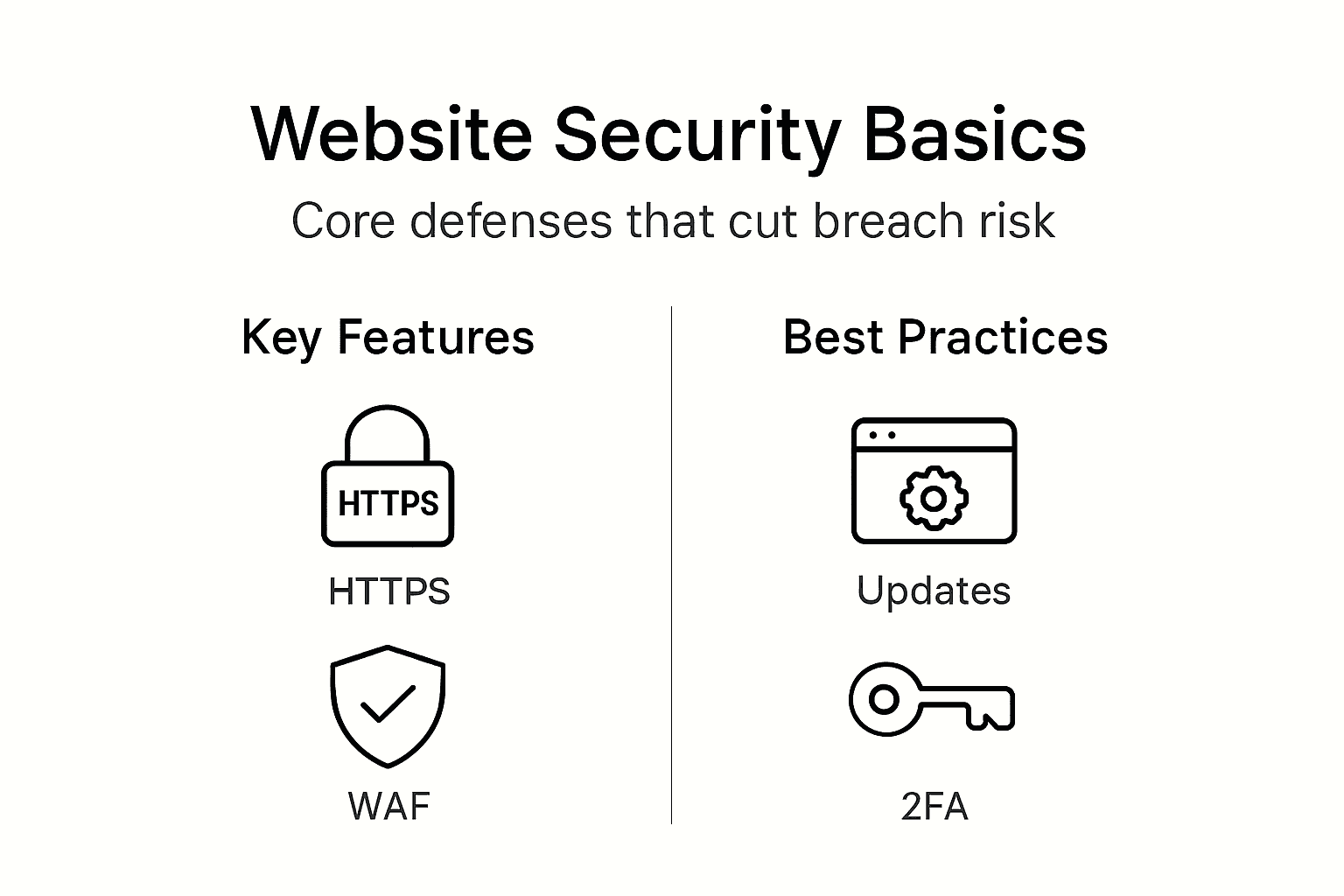
HTTPS-encrypted sites reduce data interception risks by nearly 100% by encrypting all data traveling between visitor browsers and your server using TLS (Transport Layer Security) protocols. Without HTTPS, attackers on public WiFi networks can read login credentials, payment information, and personal data in plain text. Google also ranks HTTPS sites higher and Chrome browsers flag HTTP sites as “Not Secure,” immediately damaging credibility.
Web Application Firewalls (WAF) function as intelligent filters positioned between the internet and your web server, analyzing every incoming request for malicious patterns. WAFs block SQL injection attempts, cross site scripting attacks, and bot traffic while allowing legitimate visitors through seamlessly. Cloud based WAFs like Cloudflare or Sucuri add geographic traffic filtering and DDoS protection that keeps sites online during attacks overwhelming servers with fake requests.
Updating CMS and plugins reduces risk of compromise by 85% because most attacks exploit known vulnerabilities in outdated software versions. Attackers scan the web looking for sites running WordPress 5.8 or older plugins with published security flaws, then deploy automated scripts to breach them. Enable automatic updates for security patches and manually review major version upgrades monthly.
Security scanners detect vulnerabilities before attackers find them. These tools check for weak passwords, outdated software, malware signatures, and configuration errors that create openings. Run scans weekly at minimum, daily for high value sites handling transactions or regulated data.
| Security Approach | Protection Level | Breach Risk | Implementation Cost |
|---|---|---|---|
| SSL/TLS Only | Basic encryption | High (60-70%) | $50-200/year |
| Layered Security | Comprehensive | Low (5-10%) | $200-800/year |
Pro Tip: Implement security in layers so if one measure fails, others still protect you. Combine HTTPS encryption with WAF filtering, regular updates, and daily scanning for defense in depth that stops sophisticated attacks.
Grasping the importance of website security measures helps justify security investments to stakeholders by connecting technical safeguards to business outcomes like uptime, compliance, and customer retention.
Access control and authentication strategies
Two-factor authentication (2FA) requires users to provide two different types of proof before accessing accounts: something they know (password) plus something they have (phone app code) or something they are (fingerprint). Over 80% of breaches involve compromised or weak passwords, but 2FA blocks unauthorized access even when attackers steal credentials through phishing or database leaks.
Role based access control minimizes risk by granting each user only the permissions their job requires. Marketing team members need content editing access but not server configuration rights. Support staff view customer data but cannot delete accounts. This principle of least privilege ensures compromised accounts cause limited damage since attackers gain only narrow access.
Common password mistakes create easy targets:
- Reusing the same password across multiple services
- Using dictionary words, names, or dates attackers guess easily
- Storing passwords in browser autofill without master password protection
- Never changing default admin passwords on new installations
- Sharing admin credentials among team members instead of creating individual accounts
Authentication apps like Google Authenticator or Authy generate time based codes that change every 30 seconds, offering stronger protection than SMS text messages. Phone numbers can be hijacked through SIM swapping attacks where criminals convince carriers to transfer your number to their device, intercepting text message codes. App based authentication avoids this vulnerability entirely.
Pro Tip: Require 2FA for all admin and user accounts handling sensitive data, and use authentication apps rather than SMS codes for maximum security against SIM swapping and interception attacks.
Learning access control basics and understanding why access control matters equips you to implement authentication systems proportional to your data sensitivity and regulatory requirements.
Common misconceptions about website security
- SSL certificate means complete security: HTTPS encrypts data in transit between browsers and servers, preventing interception on networks. However, it does nothing to stop server side attacks, vulnerable plugins, weak passwords, or malware already on your system. SSL forms one essential layer but never constitutes sufficient protection alone.
- Password only protection is adequate: Password-only security is insufficient because credential theft through phishing, keyloggers, and database breaches happens constantly. Attackers buy millions of username and password combinations on dark web markets, then test them against popular sites using automated tools. Multi-factor authentication stops these attacks cold even when passwords leak.
- Security is one time setup: Threats evolve daily as attackers discover new vulnerabilities and develop new exploitation techniques. Software vendors release security patches weekly. Your security posture decays without continuous monitoring, regular updates, and periodic security audits. Effective security requires ongoing maintenance, not installation and neglect.
- Small businesses are not targets: Attackers specifically target SMBs because they often lack dedicated security staff and budgets. Automated scanning tools probe millions of sites indiscriminately, exploiting any vulnerability found regardless of company size. Healthcare and SaaS SMBs make particularly attractive targets due to valuable data they store.
- Antivirus software protects websites: Desktop antivirus scans files on individual computers but cannot protect web servers, databases, or application code. Website security requires specialized tools like WAFs, server hardening, application security testing, and web specific malware scanners that understand how sites and web apps get compromised.
Recognizing website security myths prevents dangerous complacency that leaves critical vulnerabilities unaddressed until attackers exploit them.
Ongoing monitoring and incident response
Daily website security scanning reduces average compromise time from weeks to hours by detecting malware, unauthorized changes, and suspicious activity immediately. Automated scanners check file integrity, monitor for blacklist status, verify SSL certificates, and test for known vulnerabilities around the clock. Early detection limits damage by catching breaches before attackers exfiltrate significant data or pivot to deeper system compromise.
Monitoring shortens incident response dramatically. Without scanning, businesses typically discover breaches only after customers report problems, payment processors flag fraud, or Google displays malware warnings. By then, attackers have maintained access for an average of 197 days. Real time monitoring alerts you within hours, letting you contain threats while attack scope remains limited.
Effective incident response plans include:
- Designated response team with clear roles and 24/7 contact information
- Step by step procedures for isolating affected systems to prevent spread
- Communication templates for notifying customers, regulators, and stakeholders
- Backup restoration processes tested quarterly to ensure rapid recovery
- Forensic analysis protocols to identify attack vectors and close vulnerabilities
- Post incident review process to improve defenses and update response plans
When scanners detect incidents, act immediately. Take affected systems offline to prevent further compromise. Restore clean backups after verifying their integrity. Change all passwords and API keys. Analyze logs to understand attack methods. Notify affected parties as regulations require, typically within 72 hours for GDPR or 60 days for HIPAA.
Pro Tip: Test your incident response plan quarterly through tabletop exercises where team members walk through breach scenarios, identifying gaps in procedures, communication channels, and technical capabilities before real incidents occur.
Implementing monitoring and incident response capabilities transforms security from reactive cleanup to proactive threat hunting that stops attacks early.
Compliance and SEO benefits of website security
Healthcare organizations handling protected health information must comply with HIPAA Security Rule requirements including encryption, access controls, audit logging, and risk assessments. SaaS companies serving European customers face GDPR mandates for data protection by design, breach notification within 72 hours, and demonstrable security measures. Non compliance triggers investigations, fines, and mandatory audits that consume resources for years.
Google explicitly uses HTTPS as a ranking signal, giving encrypted sites preference in search results over identical HTTP sites. Secure sites also earn the padlock icon in browser address bars, increasing click through rates by building visitor confidence. Conversely, malware infected sites get removed entirely from search results, losing months of SEO work overnight.
| Security Measure | Compliance Benefit | SEO Benefit |
|---|---|---|
| HTTPS/TLS | Meets encryption requirements | Direct ranking boost, increased CTR |
| Regular Security Audits | Demonstrates due diligence | Prevents blacklisting and penalties |
| Incident Response Plan | Required for HIPAA/GDPR | Minimizes downtime impact on rankings |
| Access Controls | Satisfies data protection rules | Protects admin areas from manipulation |
Strong security delivers business advantages beyond regulatory compliance:
- Enhanced customer trust translating to higher conversion rates
- Fewer penalties and legal costs from breaches or violations
- Better search visibility driving organic traffic growth
- Competitive differentiation when security certifications become sales assets
- Lower insurance premiums for cyber liability coverage
- Faster enterprise sales cycles as security questionnaires get approved quickly
Exploring SEO benefits of secure websites reveals how technical security investments directly support marketing goals. Understanding compliance for SaaS and healthcare contexts helps prioritize security features with regulatory teeth.
Conclusion and practical steps for SMB owners
Layered security combining encryption, access controls, monitoring, and incident planning creates resilient defense systems that protect your business from the evolving threat landscape. No single measure provides adequate protection, but multiple overlapping safeguards catch what others miss.
Implement security systematically using these prioritized steps:
- Conduct security assessment: Scan your current site for vulnerabilities, outdated software, and configuration weaknesses using free tools like Sucuri SiteCheck or security plugins for your CMS platform.
- Enable HTTPS immediately: Purchase and install SSL/TLS certificates from your hosting provider or use free Let’s Encrypt certificates, then redirect all HTTP traffic to HTTPS versions.
- Deploy Web Application Firewall: Subscribe to cloud WAF services like Cloudflare or install server level firewall modules that filter malicious traffic before it reaches your application.
- Implement access controls: Enable two factor authentication for all administrative accounts, create role based permissions limiting user access to necessary functions only, and enforce strong password policies.
- Establish update schedule: Configure automatic security updates for your CMS and review plugin updates weekly, testing major version changes in staging environments before production deployment.
- Set up monitoring: Schedule daily security scans, configure uptime monitoring, enable server logs, and establish alert thresholds that notify you of suspicious activity patterns.
- Create incident response plan: Document response procedures, assign team roles, prepare communication templates, and conduct quarterly drills to maintain readiness.
Prioritize actions based on your sector’s specific risks and compliance requirements. Healthcare sites need HIPAA aligned controls first. SaaS platforms should focus on API security and authentication. Review practical steps for SMBs to customize implementation for your business model.
Security awareness must become ongoing practice, not one time project. Schedule quarterly security reviews, stay informed about emerging threats in your industry, and adjust defenses as your business grows and attack methods evolve.
Secure your website with expert SEO and security solutions
Website security directly impacts your search rankings, customer trust, and business growth potential. Implementing proper security measures protects your digital assets while improving SEO performance through faster load times, better user experience, and Google’s preference for secure sites.
Web Spider Solutions specializes in helping SMBs in competitive sectors strengthen both security and search visibility. Our team combines technical SEO expertise with security best practices to build websites that rank well and protect customer data effectively. We understand the unique challenges healthcare and SaaS companies face balancing regulatory compliance with aggressive growth goals.
Ready to transform your website into a secure, high performing asset that drives qualified leads? Explore our proven SEO strategy guide or discover how we helped clients achieve measurable results through AI SEO services. Our SEO campaigns deliver sustainable organic growth while maintaining the security standards your customers expect.
Frequently asked questions
What makes a website secure?
A secure website combines multiple protective layers including HTTPS encryption, Web Application Firewalls, regular software updates, strong access controls with two factor authentication, continuous security monitoring, and documented incident response procedures. No single measure provides complete protection. Security requires defense in depth where overlapping safeguards compensate for individual weaknesses and stop attacks through multiple checkpoints.
How does HTTPS improve website security?
HTTPS encrypts all data transmitted between visitor browsers and your web server using TLS protocols, preventing attackers from intercepting passwords, payment details, or personal information on network connections. It also verifies your site’s identity through SSL certificates, assuring visitors they are connecting to your legitimate server rather than an imposter site. However, HTTPS only protects data in transit and does not prevent server side attacks or vulnerable application code.
Why is two factor authentication important?
Two factor authentication blocks over 80% of breaches by requiring two different proof types before granting access: something you know like a password plus something you have like a phone app code. Even when attackers steal passwords through phishing or database leaks, they cannot access accounts without the second factor. This simple measure stops the vast majority of unauthorized access attempts and credential stuffing attacks.
How often should I update website software?
Enable automatic security updates for your CMS platform and review plugin updates weekly, implementing them promptly after brief testing. Most attacks exploit known vulnerabilities in outdated software versions. Delaying updates by even a few days creates windows where automated scanning tools find and exploit your site. Critical security patches warrant immediate deployment, while major version upgrades need staging environment testing before production rollout.
What should an incident response plan include?
Effective plans designate a response team with clear roles, document step by step isolation procedures, provide communication templates for customer and regulator notification, outline backup restoration processes, and establish forensic analysis protocols. Test plans quarterly through tabletop exercises where team members walk through breach scenarios, identifying procedural gaps and technical capability needs. Plans must specify 24/7 contact methods and decision making authority to enable rapid response when incidents occur outside business hours.
Does website security affect SEO rankings?
Yes, significantly. Google uses HTTPS as a direct ranking signal, preferring encrypted sites in search results. Secure sites earn browser padlock icons that increase click through rates. Conversely, malware infections trigger Google blacklisting that removes sites entirely from search results, destroying months of SEO work. Fast, secure sites provide better user experience, reducing bounce rates and improving engagement metrics that indirectly boost rankings through behavioral signals.