







Most american SaaS websites lose nearly half their visitors due to confusing design and unclear goals. For digital marketing managers, this translates to missed engagement and lower conversions no matter how powerful your software is. Understanding which best practices actually move the needle can help you build a website that feels intuitive and trustworthy for every visitor, whether in Canada, Brazil, or across Europe. Discover actionable strategies to create seamless, high-performing digital experiences.
Table of Contents
- Step 1: Define User Goals And Project Requirements
- Step 2: Structure Site Navigation For Seamless Flow
- Step 3: Apply Proven Visual Design Principles Effectively
- Step 4: Optimize Content For Engagement And Clarity
- Step 5: Test Design Performance And Implement Feedback
Quick Summary
| Key Point | Explanation |
|---|---|
| 1. Define user goals clearly | Establish specific, measurable objectives to ensure your website effectively addresses user needs and stems from a solid foundation. |
| 2. Create intuitive navigation | Design a logical menu structure that facilitates easy access to information, enhancing user experience and reducing confusion. |
| 3. Apply effective visual design principles | Use hierarchy, color, and layout to guide users’ attention, improving engagement and ensuring clarity in content presentation. |
| 4. Optimize content for clarity | Structure text with subheadings, bullet points, and short paragraphs to maintain readability and keep users engaged with valuable insights. |
| 5. Implement continuous user testing | Regularly validate design choices with real users to identify usability issues and refine the website based on authentic user feedback. |
Step 1: Define user goals and project requirements
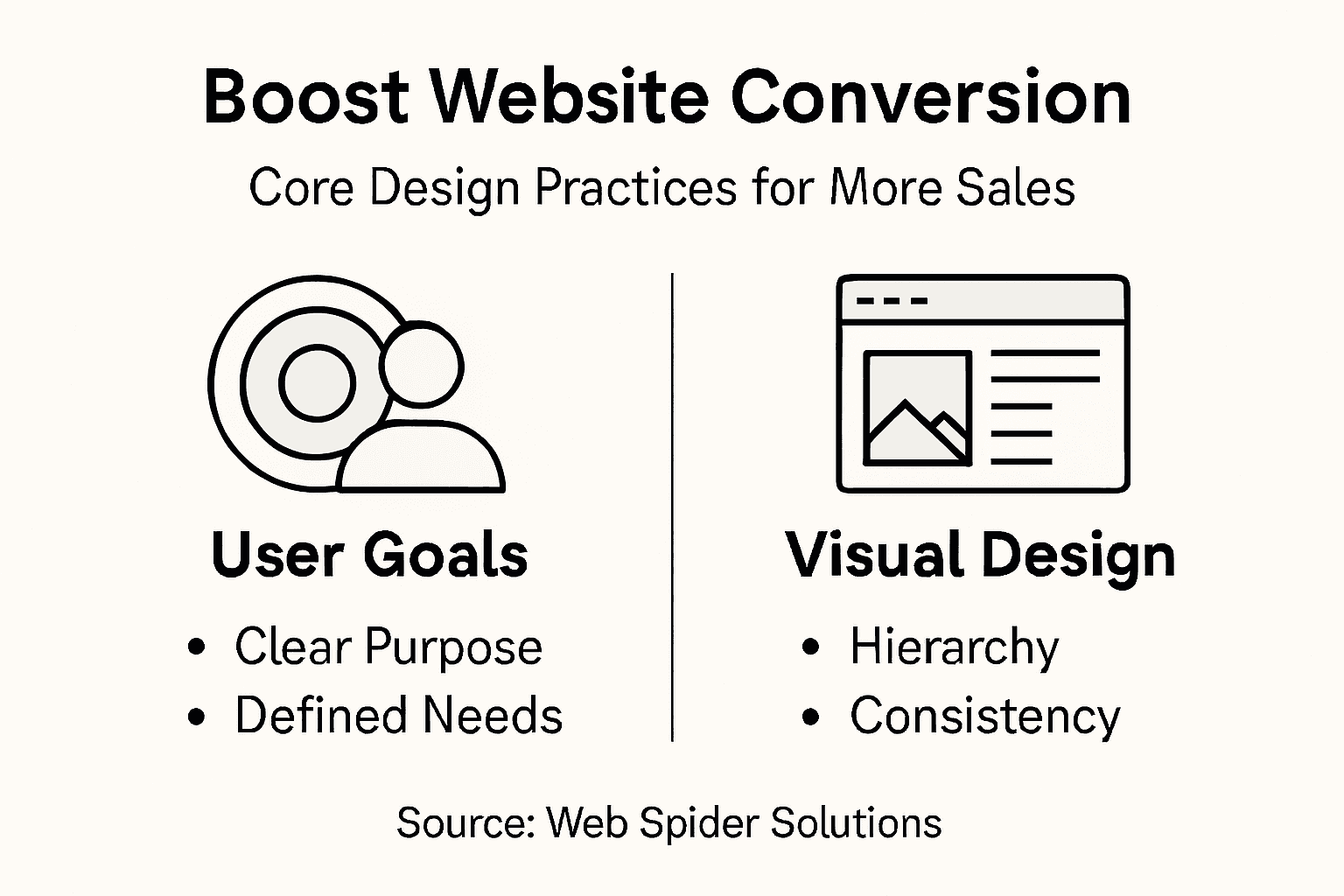
Creating a successful website begins with crystal clear user goals and project requirements. Your initial planning stage determines whether your digital product will genuinely solve user problems or become another forgettable online experience. Effective project planning starts with understanding precisely what you want to achieve and who you want to reach.
To kickstart this process, gather input from key stakeholders while mapping out specific user objectives. Start by asking fundamental questions: What problem does your website solve? Who are your primary users? What specific actions do you want visitors to take? Website goal setting requires creating measurable targets using the SMART framework – Specific, Measurable, Achievable, Relevant, and Time-bound. For instance, instead of a vague goal like “increase traffic,” aim for something concrete such as “generate 500 qualified lead form submissions within the first 90 days.”
During this planning phase, document your findings comprehensively. Create user personas, outline primary user journeys, and establish clear success metrics. Your goal is developing a focused roadmap that aligns organizational objectives with genuine user needs. Break down complex requirements into actionable steps, prioritizing features that directly support your core mission.
Pro tip: Conduct user interviews or surveys early in the process to validate your assumptions and uncover unexpected insights about user expectations and pain points.
Step 2: Structure site navigation for seamless flow
Creating an intuitive website navigation system is crucial for guiding users through your digital space effectively. Your goal is to design a navigation structure that feels natural and helps visitors find information quickly and easily. Effective site mapping starts with understanding how users think and organize content in their minds.

Begin by developing a clear hierarchical structure that groups related content logically. Think of your navigation like a roadmap where each section leads users smoothly to their destination. Break down your main categories into clear, descriptive menu items that reflect exactly what users will find. Consider organizing content from broad to specific categories, using dropdown menus to reveal more detailed subcategories without overwhelming visitors. Aim to limit your top level navigation to 5-7 primary items to prevent decision fatigue and keep the user experience clean and focused.
As you design your navigation, prioritize user expectations and intuitive pathways. Test your proposed structure with real users to validate that the menu makes sense and allows seamless movement through your website. Watch how people interact with your navigation and be prepared to make adjustments based on their actual behavior. Remember that good navigation is about creating an invisible guide that helps users find what they need without thinking too hard.
Pro tip: Conduct small user testing sessions to observe how people naturally navigate your site and identify any confusing menu structures before final implementation.
Step 3: Apply proven visual design principles effectively
Transforming your website design from good to exceptional requires mastering key visual design principles that guide user engagement and support conversion goals. Visual design is more than just making things look attractive it is about creating an intuitive experience that leads users exactly where you want them to go.
Start by establishing a clear visual hierarchy that naturally draws users eyes to the most important elements on your page. This means using size contrast color and strategic placement to create a visual roadmap that guides visitors through your content. Pay special attention to typography selecting fonts that are both readable and aligned with your brand personality. Color selections should be intentional with a consistent palette that evokes the right emotional response and supports your websites primary objectives. Effective web design principles emphasize using white space strategically to prevent visual clutter and help users focus on key messages.
Consider your design from a holistic perspective balancing aesthetic appeal with functional clarity. Every visual element should serve a purpose whether that is building trust communicating value or prompting action. Test your design with real users to understand how they perceive and interact with your visual layout ensuring that your design choices actually enhance rather than obstruct user experience.
Pro tip: Create a mood board before finalizing your design to ensure visual consistency and alignment with your brand identity.
Step 4: Optimize content for engagement and clarity
Creating compelling website content requires a strategic approach that balances informativeness with readability. Optimizing web content means crafting messages that immediately capture your audiences attention and guide them toward meaningful action. Your goal is to communicate clearly while maintaining a conversational tone that feels personal and direct.
Structure your content to enhance readability by using strategic formatting techniques. Break up text with descriptive subheadings that act as visual signposts guiding readers through your narrative. Utilize short paragraphs that average 2-3 sentences to maintain visual momentum and prevent reader fatigue. Incorporate bullet points and numbered lists to highlight key information and make complex ideas more digestible. Consider your content like a well designed roadmap where each section smoothly transitions into the next creating a natural flow that keeps readers engaged and curious about what comes next.
Prioritize your audiences needs by adopting a user centered writing approach. This means anticipating questions before they arise and addressing potential concerns proactively. Use plain language that avoids unnecessary jargon and speaks directly to your readers experience. Complement your text with relevant visual elements like images infographics or screenshots that reinforce your message and provide additional context. Regularly review and update your content to ensure it remains current relevant and aligned with your audiences evolving expectations.
Pro tip: Read your content out loud to check for natural flow and identify areas that might sound awkward or overly complex.
Step 5: Test design performance and implement feedback
Validating your website design requires a systematic approach to usability testing that goes beyond guesswork and personal preferences. Your goal is to gather concrete evidence about how real users interact with your website and identify opportunities for improvement that directly impact conversion rates.
Develop a comprehensive testing strategy that combines multiple research methods. Start with quantitative analytics tracking key metrics like bounce rate time on page and conversion rates. Complement these numbers with qualitative user testing where you observe actual users navigating your site and completing specific tasks. Recruit participants who represent your target audience and create realistic scenarios that reveal how intuitive your design truly is. Pay close attention to user behaviors unexpected interactions and moments of confusion. These insights are gold mines for understanding where your design might be creating unintentional barriers to user engagement.
Compare two core usability testing approaches for websites:
| Testing Type | What It Involves | Sample Insight Generated |
|---|---|---|
| Quantitative Analytics | Tracks metrics like bounce rate | Identifies high-exit pages |
| Qualitative User Testing | Observes real users in action | Reveals navigation confusion points |
Translate your testing findings into actionable design improvements. Prioritize changes based on their potential impact on user experience and conversion potential. Dont treat feedback as a onetime event but as an ongoing process of continuous refinement. Implement changes incrementally track their effects and be prepared to iterate quickly. Remember that great design is not about achieving perfection but about creating a dynamic user experience that evolves with your audiences needs.
Pro tip: Record user testing sessions to capture nuanced interactions and review them multiple times with your design team to uncover subtle insights.
Here’s a summary of how each website planning step contributes to a user-focused result:
| Step | Main Focus | User Impact |
|---|---|---|
| Define Goals | Aligns user and business needs | Ensures the site solves real problems |
| Structure Navigation | Organizes content logically | Helps users find information faster |
| Visual Design | Guides attention with layout | Improves engagement and clarity |
| Optimize Content | Enhances readability | Keeps users informed and interested |
| Test & Feedback | Refines design continuously | Adapts to real user needs & feedback |
Elevate Your Website Design to Drive Higher Conversions
Navigating the challenges of creating a website that truly converts means addressing key pain points like clear goal definition, intuitive navigation, and visual clarity. This article’s focus on best practices for higher conversion rates highlights the critical need to align your design with user expectations while optimizing content and continuously testing performance. If you are looking to overcome these hurdles and achieve measurable growth, understanding and implementing these concepts is essential to your success.
At Web Spider Solutions, we specialize in helping businesses enhance user experience through expert web design and comprehensive digital marketing strategies. Our tailored solutions combine technical SEO, creative content marketing, and data-driven design refinement to ensure your website not only attracts visitors but converts them effectively. Explore insightful success stories and practical insights in our Stories Archives and learn how emerging trends in Artificial Intelligence are shaping smarter website optimization.
Ready to transform your website into a powerful conversion engine today Visit Web Spider Solutions for a free consultation and discover how our proven approach can help you maximize your digital potential now.
Frequently Asked Questions
What are the key user goals to define before designing a website?
Establishing clear user goals is essential for effective website design. Identify what problem your website will solve and determine who your primary users are, aiming for specific and measurable objectives, such as generating 500 qualified leads within 90 days.
How should I structure my website navigation for optimal user experience?
Create an intuitive navigation system by grouping related content logically and limiting your top-level menu to 5-7 primary items. This organization helps users find information quickly and reduces decision fatigue, enhancing overall site usability.
What visual design principles should I apply to improve user engagement?
Focus on establishing a clear visual hierarchy that guides users’ attention to important elements on your page. Use size, contrast, and color to direct attention effectively, ensuring every visual element supports user action and enhances clarity.
How can I optimize my website content for better clarity and engagement?
Enhance content readability by using short paragraphs and strategic formatting techniques like bullet points and subheadings. Aim for a conversational tone that addresses your audience’s needs directly, which can significantly increase user interaction.
What methods can I use to test my website design and gather user feedback?
Implement a combination of quantitative and qualitative methods to gather insights on website usability. Track key metrics and conduct user testing sessions to observe real interactions, enabling you to refine the design based on actual user behavior.
How can I ensure my website continuously meets user needs?
Treat feedback as an ongoing process by analyzing testing results and implementing changes incrementally. Regularly review user interactions to identify areas for improvement, aiming for adaptation that responds to evolving user expectations.