







A website redesign can be a game changer for your business, but without proper planning, it can backfire. Many small and medium-sized businesses lose 30 to 50 percent of their traffic after launching a redesigned site because they overlook critical steps. This comprehensive checklist ensures your 2026 redesign enhances user experience, preserves SEO rankings, and drives conversions. Whether you’re a business owner or digital marketing manager, following these proven strategies will help you avoid common pitfalls and achieve measurable success.
Table of Contents
- Understanding The Challenges Of Website Redesign
- Preparing With Inclusive Design And Accessibility
- Executing Content Strategy And Technical SEO Checks
- Verifying Your Redesign Success And Avoiding Common Mistakes
- Enhance Your Website Redesign With Expert Digital Solutions
- Frequently Asked Questions
Key takeaways
| Point | Details |
|---|---|
| Preserve user familiarity | Drastic layout changes disrupt muscle memory and cause visitor drop off. |
| Design for accessibility | Following 2026 standards improves usability for all users and reduces legal risk. |
| Optimize content strategy | Clear CTAs and SEO focused content boost engagement and search visibility. |
| Conduct technical SEO checks | Verify redirects, site speed, and mobile friendliness before launch. |
| Monitor post launch metrics | Track traffic and conversions closely to identify and fix issues quickly. |
Understanding the challenges of website redesign
Website redesigns promise fresh aesthetics and improved functionality, but they also introduce significant risks. When layouts, navigation labels, and page structures change drastically, returning visitors lose their muscle memory and drop off. This phenomenon can lead to a 30 to 50 percent decline in traffic and conversions if you don’t plan carefully.
Users develop mental maps of your site over time. They know exactly where to click for product pages, contact forms, or checkout buttons. When you move these elements without warning, even loyal customers feel disoriented and frustrated. They may abandon your site entirely rather than relearn the navigation.
Common redesign mistakes amplify this problem. Moving primary navigation from the top to a sidebar confuses users. Renaming menu items with creative labels obscures familiar categories. Changing URL structures without proper redirects creates broken links that damage search rankings. Introducing complex mega menus overwhelms visitors who expect simple choices.
“Successful redesigns balance innovation with continuity. Preserve core navigation patterns while improving visual hierarchy and performance.”
To mitigate these issues, you need a structured approach. Start by auditing your current site to identify which elements users interact with most. Use heatmaps and analytics to pinpoint popular pages and navigation paths. Then design your new layout to maintain these critical touchpoints in familiar locations. This website redesigning services success guide provides additional strategies for preserving user experience during transitions.
Key mistakes to avoid include:
- Removing popular features without user research or feedback
- Changing core navigation terminology that users recognize instantly
- Implementing auto playing videos or intrusive popups that disrupt browsing
- Neglecting mobile experience when most traffic comes from smartphones
- Launching without thorough cross browser and device testing
A comprehensive checklist addresses each of these pitfalls systematically. By planning ahead and testing extensively, you can modernize your site while keeping users comfortable and engaged.
Preparing with inclusive design and accessibility
Designing for edge cases creates a better product for everyone. When you accommodate users with disabilities or unique browsing needs, you simultaneously improve usability for your entire audience. This principle transforms accessibility from a compliance checkbox into a competitive advantage.

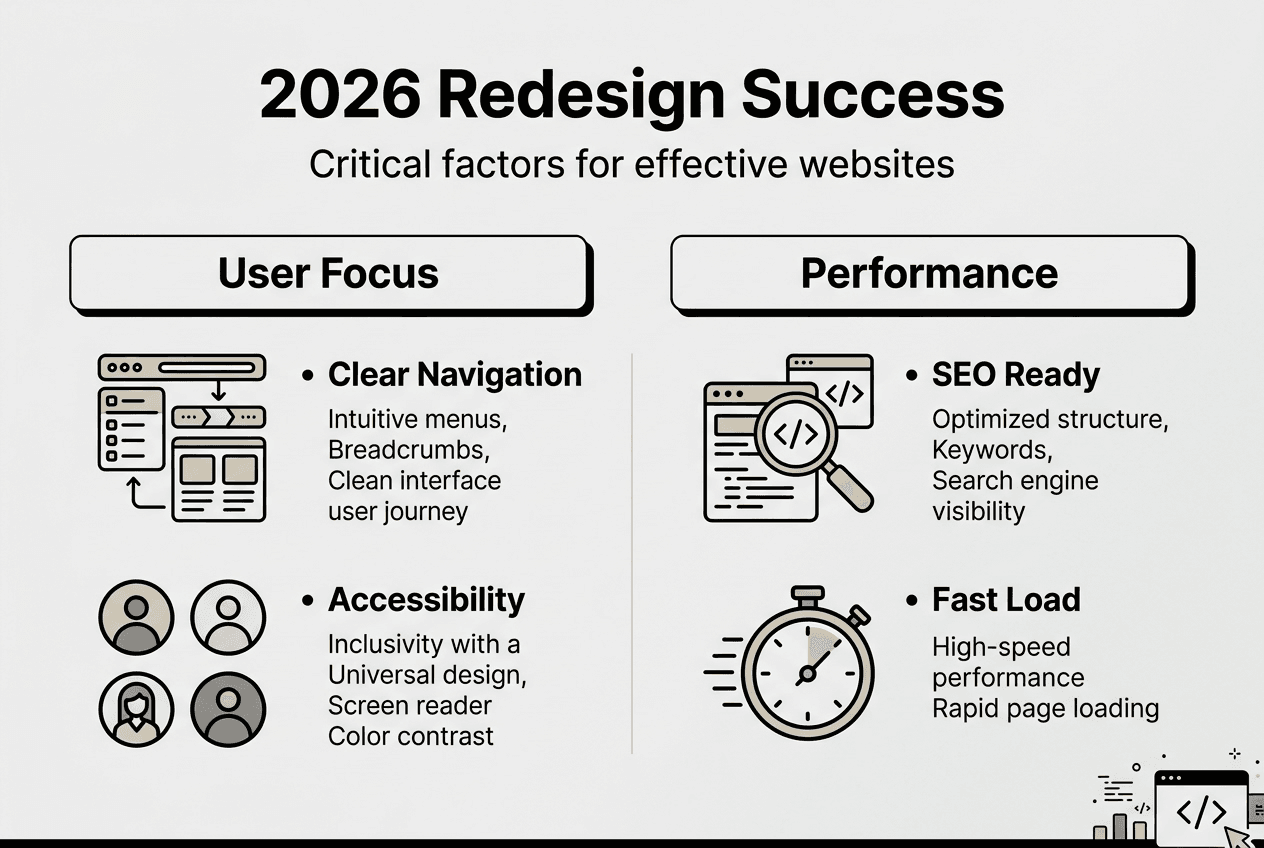
In 2026, accessibility standards continue evolving to protect users and businesses alike. Following WCAG 2.2 guidelines ensures your redesigned site serves visitors with visual, auditory, motor, or cognitive disabilities. Beyond legal compliance, accessible design expands your market reach and enhances brand reputation.
Start by implementing these essential accessibility features:
- Maintain color contrast ratios of at least 4.5:1 for normal text and 3:1 for large text
- Enable full keyboard navigation without requiring a mouse or touchscreen
- Use readable font sizes of at least 16 pixels for body text
- Provide alt text descriptions for all images and visual content
- Structure content with proper heading hierarchy for screen readers
- Ensure form fields have clear labels and error messages
Pro Tip: Conduct usability testing with diverse user groups during the design phase, not after launch. Recruit participants who use assistive technologies like screen readers or voice controls. Their feedback reveals issues you might never discover through internal testing alone.
Accessible design delivers measurable business benefits. Larger click targets and simplified navigation help older users and anyone browsing on mobile devices. Clear headings and logical content structure improve comprehension for all readers. Captions on videos assist people in noisy environments or those who prefer silent browsing.
This web design best practices user engagement resource explores how thoughtful design choices increase conversion rates. Similarly, following this website accessibility guide ADA compliance standards protects your business from legal challenges while demonstrating social responsibility.
Reducing legal risk matters more than ever. Accessibility lawsuits continue rising as advocacy groups hold businesses accountable. Proactive compliance costs far less than reactive litigation. More importantly, inclusive design aligns with your goal of serving customers effectively regardless of their abilities or circumstances.
Executing content strategy and technical SEO checks
Your redesign’s visual appeal means nothing if the content fails to engage visitors or rank in search results. A well structured content strategy, including clear calls to action, can significantly improve engagement and conversions. Content and design must work together to guide users toward desired actions while satisfying search engine requirements.
Effective content strategy starts with understanding user intent. What questions do visitors ask? What problems do they need solved? Your content should provide immediate value while naturally leading to conversion opportunities. Every page needs a clear purpose and a logical next step.
Key content elements include:
- Relevant, scannable copy that addresses user pain points directly
- Value propositions that differentiate your offerings from competitors
- Strategic CTAs aligned with user journey stages
- SEO optimized titles, headings, and meta descriptions
- Internal links that guide users to related resources
- Multimedia elements that enhance understanding without slowing load times
Your technical SEO checklist ensures search engines can crawl, index, and rank your redesigned site effectively. Follow these critical steps:
- Audit all existing URLs and create 301 redirects for any changed or removed pages
- Optimize page load speed to under three seconds on mobile devices
- Verify mobile friendliness with responsive design that adapts to all screen sizes
- Update XML sitemap and submit to Google Search Console and Bing Webmaster Tools
- Check all meta titles stay within 60 characters and descriptions within 160 characters
- Implement structured data markup for rich snippets in search results
- Fix broken internal and external links that create poor user experience
- Ensure HTTPS security across the entire site without mixed content warnings
CTA effectiveness depends on alignment with user intent. Compare these approaches:
| Poor CTA Example | Effective CTA Example |
|---|---|
| Generic “Click Here” button | Specific “Get Your Free SEO Audit” |
| Vague “Learn More” link | Clear “Download 2026 Marketing Guide” |
| Pushy “Buy Now” on blog | Helpful “See Pricing Options” |
| Hidden contact form | Prominent “Schedule Consultation” |
Pro Tip: Match CTA language to the user’s awareness stage. Top of funnel visitors need educational resources, while bottom of funnel prospects respond to direct conversion offers. Place multiple CTAs throughout long pages to capture interest at different engagement levels.
This effective call to actions guide provides proven formulas for writing compelling CTAs. For comprehensive optimization strategies, review this SEO strategy guide 14 must do things to prepare for 2025 and this technical SEO checklist.
Content and technical optimization work together. Great content attracts visitors and earns backlinks. Solid technical foundations ensure search engines can discover and rank that content. Neglecting either dimension undermines your entire redesign investment.
Verifying your redesign success and avoiding common mistakes
Launching your redesigned site marks the beginning of verification, not the end of your project. Monitor traffic and conversion metrics closely during the first 30 days to identify issues before they cause lasting damage. Quick responses to problems prevent the muscle memory disruption that drives visitors away permanently.
Common post launch pitfalls include:
- Broken links from incomplete redirect mapping or typos in URLs
- Slow load times caused by unoptimized images or excessive scripts
- Confusing navigation that buries important pages too deep in the hierarchy
- Missing or incorrect meta tags that harm search visibility
- Forms that don’t submit properly due to coding errors
- Mobile layout issues that desktop testing missed
Systematic verification catches these problems early. Follow these steps:
- Review Google Analytics daily for traffic pattern changes and bounce rate spikes
- Check Google Search Console for crawl errors, indexing issues, and ranking drops
- Conduct user testing sessions to observe real behavior on the new site
- Run A/B tests comparing new page layouts against archived versions
- Survey customers about their experience navigating the redesigned site
- Monitor conversion funnels to identify where users drop off
- Test all forms, checkout processes, and interactive features thoroughly
- Verify site speed across different devices, browsers, and connection speeds
User feedback provides invaluable insights that analytics alone cannot reveal. Set up feedback widgets that let visitors report problems instantly. Monitor social media mentions and support tickets for recurring complaints. Pay special attention to comments about difficulty finding information or completing tasks.
A/B testing helps you optimize controversial design decisions. If analytics show a page performing worse after redesign, create a variant that restores familiar elements while keeping visual improvements. Test both versions with real traffic to determine which converts better.
Maintaining muscle memory consistency requires strategic compromise. You can modernize visual design without relocating core navigation elements. Update color schemes and typography while preserving the spatial relationships users expect. Introduce new features gradually rather than overwhelming visitors with everything at once.
Rapid fixes matter more than perfect launches. When you discover a broken redirect or confusing menu label, correct it immediately. Every day a problem persists costs you traffic and revenue. This professional website redesigning services success guide emphasizes the importance of agile iteration after launch.
Success metrics extend beyond traffic volume. Track engagement indicators like time on page, pages per session, and scroll depth. Monitor conversion rates for key actions like form submissions, downloads, or purchases. Compare these metrics to pre redesign baselines to measure true impact.
Some traffic fluctuation is normal during the transition period. Users need time to adapt to changes even when you preserve familiar patterns. However, sustained declines signal serious problems requiring immediate investigation. Use segmentation to identify which user groups struggle most, then prioritize fixes that help them.
Enhance your website redesign with expert digital solutions
Executing a successful website redesign demands expertise across design, development, content strategy, and technical SEO. While this checklist provides a solid foundation, partnering with experienced professionals can accelerate results and avoid costly mistakes. Specialized services ensure every element works together to achieve your business objectives.
Consider leveraging this SEO strategy guide 14 must do things to prepare for 2025 to align your redesign with search best practices. Professional website designing packages offer comprehensive solutions that integrate design, development, and optimization. These resources complement your internal efforts by providing proven frameworks and specialized knowledge.
Expert guidance helps you implement web design best practices user engagement effectively. Professional teams bring fresh perspectives and industry insights that internal stakeholders might overlook. They’ve navigated redesign challenges across multiple industries and can anticipate problems before they emerge.
Frequently asked questions
What are the most common causes of traffic drops after a website redesign?
Drastic changes in layouts, navigation labels, and page structures cause muscle memory loss leading to visitor drop off. When familiar elements move or disappear, users struggle to complete tasks they previously performed effortlessly. Poor redirect implementation and broken links compound the problem by creating dead ends. Missing or incorrect meta tags can also cause search rankings to plummet temporarily.
How can I ensure my redesigned website is accessible to all users?
Follow color contrast, keyboard navigation, and readable font guidelines to meet WCAG 2.2 standards. Implement proper heading hierarchy and alt text for all images. Designing for edge cases improves overall product quality and accessibility compliance. Conduct early testing with diverse user groups including those who rely on assistive technologies. This website accessibility guide ADA compliance standards provides detailed implementation steps.
What role does content strategy play in a website redesign?
Content strategy drives user action and search engine visibility by aligning messaging with audience needs. Clear CTAs and relevant, optimized content boost engagement and conversion rates significantly. Strategic content placement guides users through their journey while satisfying search intent. Well planned content also supports link building and establishes topical authority. Explore these effective call to actions techniques to maximize conversion potential.
How do I measure if my website redesign is successful?
Track traffic, conversions, bounce rates, and user feedback to assess success comprehensively. Compare post launch metrics against pre redesign baselines to identify improvements or declines. Monitor engagement indicators like time on page and pages per session. Rapidly address any detected issues through A/B testing and iterative improvements. Success extends beyond vanity metrics to include business outcomes like lead quality and customer satisfaction.